
Hipsta Espresso #4 The World Went sh%#*ed

I was planning a reboot for the channel, but as it turned out, I was the one who needed rebooting. Not that I fell into some kind of depression, but the constant information noise can suck the energy out of you mercilessly. There’s so much going on around us now that you simply can’t keep up: you want to read a book, spend time with your family, get lost in a game, watch a movie, write something for the blog... and do a whole bunch of other “ands.” But you can’t split yourself into ten people, so you’re constantly forced to choose.
I even rebuilt the entire website from scratch to make publishing articles easier, but somehow things didn’t quite go according to plan... Life has a habit of throwing unexpected stuff at you that eats up both time and energy. Changing jobs, having my e-bike stolen, and all sorts of other little annoyances pulled me out of my comfort zone and brought me back down to earth a bit. Maybe that’s what shaped everything that came next. Somehow, without me really noticing, those couple of months changed my usual way of life a little. And despite all that, I’m still flooring it, trying to get out of this darkness. There’s plenty of interesting stuff ahead - I’ll do my best - and it won’t be just articles.
Anyway, I’m back on the air. Let’s go.
As usual, let’s kick things off with a TV show.
The Boroughs
From the creators of Stranger Things, but with one little twist: instead of a gang of kids in the lead roles, this time we get... a bunch of charismatic retirees. I really liked it. Just one small piece of advice: don’t watch it through the Stranger Things lens. It’s a completely separate show with its own world and universe; the only real connection to the cult hit is the team behind it.
The Summit
A solid, atmospheric movie for one evening. It doesn’t pretend to be some profound artistic statement or aim for every film award on the planet, but it does its main job extremely well - it keeps you hooked from beginning to end. A perfect answer to the eternal “what should we put on with dinner?” question when you want something dynamic without overloading your brain before bed.
007 First Light | Feel Like an Agent
The latest title from IO Interactive, the studio behind the modern Hitman: World of Assassination trilogy. This time, we get to step into the shoes of a young James Bond at the beginning of his career. Put simply, it’s the familiar Hitman formula, but wrapped in a full-blown Hollywood story - much more spectacular, cinematic, and fast-paced.
Switching from the uncompromising barcode-tattooed assassin to an MI6 agent gives the whole gameplay formula a refreshing shake-up.
It completely changes the tone of the game and the way you approach it - more adrenaline, more spy charm, and plenty of slick action choreography. What stayed the same: all of IO Interactive’s signature tricks are still here. Every location is a sandbox packed with ridiculous levels of interactivity, countless hidden routes, tons of freedom, and a whole arsenal of elaborate ways to reach your target.
And one thing deserves some extra respect: the game doesn’t make a chore out of itself. It’s one of those rare big-budget games that actually lets you sink into the couch in the evening, relax, and feel like you’re inside a badass Bond movie. Unlike plenty of modern games, First Light doesn’t turn into a second job where you have to memorize timings until your eyes bleed and sweat over every single move. It looks great, oozes atmosphere, and is simply fun to play. Highly recommendacion.
GTA VI | Prepare to Have Your Mind Blown

Since we’ve moved on to big games, there’s no way we can ignore the elephant in the room - one roughly the size of the entire gaming market. It still isn’t out, but this is obviously going to be a mind-blowing release of the year - or maybe the decade, considering the next one will probably arrive another ~10 years later. GTA has always been a magnet for insane theories, leaks, and conspiracy rabbit holes. But this time Rockstar somehow outdid themselves: after the gameplay reveal, half the internet completely lost its shit. And, interestingly enough, not because what they saw was perfect. Rockstar has pushed expectations so ridiculously high that people have already built some flawless dream game in their heads. Reminder: the first trailer came out three years ago, the second last year, and in that time the fanbase has managed to imagine an untouchable monument to game development.
And the moment a few tiny flaws showed up in the footage, armchair experts instantly switched into critic mode: “Oh, Jason - one of the main characters - closes the door by grabbing thin air here, and over there he pulls a beer out of nowhere, oh, and look, it’s blurry here, the detail drops there.” But no matter how you look at it, compromises are inevitable: the bigger the open world and the deeper the simulation, the more effort and resources every tiny detail demands, and the harder it becomes to keep everything perfectly balanced. Miracles don’t happen. Sure, it’s too early to judge, but what Rockstar showed in the gameplay footage is absolutely insane. There are tons of rumors, each crazier than the last - things like 80 hours for the main story alone, not even counting side content. I have no idea what kind of perfect GTA people have invented in their heads, but after what we’ve seen, I wouldn’t even be surprised if some of those leaks turned out to be true.
€/$99.99 for the Ultimate Edition. And somewhere off to the side, Electronic Arts stands up with its shiny new FC 27 - formerly the FIFA series - looks at Rockstar, smirks, and goes: “Pff, a hundred euros for the GTA VI Ultimate Edition? Hold my beer. Here’s FC 27 for €/$110!” Impressive, honestly. Selling a conveyor-belt football sim for more than the decade’s biggest long-awaited game takes real talent.
Marvel’s Wolverine | A Game for Gamers or Game Design for Doomscrollers?
Insomniac’s new title has sparked some heated arguments - at this point, it feels like everyone and their mother has taken a dump on it. The game actually looks pretty good: brutal, spectacular, but very straightforward action. The main complaint from players and critics is that you can get through half the game while barely doing anything. Some scenes are so automated that the presence of an actual human holding a controller starts to feel almost optional - though not everywhere. Against the backdrop of this frustrating autopilot, two obvious questions come up about the modern AAA industry:
Is this an attempt to design games for the TikTok era? It certainly looks that way. In the industry, this is called low-friction gameplay - game design built around minimizing resistance. Modern players, used to a constant stream of quick dopamine hits, are finding it harder and harder to stay focused on complex mechanics. Big publishers are terrified that users might get stuck, tired, or lost, so games increasingly turn into interactive theme-park rides. Hold down one button and your character automatically performs a chain of ten spectacular acrobatic moves. In other words, they look impossibly cool while you’re basically just holding the stick forward.
Or is Insomniac simply running a production line? As we know, Insomniac Games isn’t some rookie studio that suddenly got its hands on a huge budget. These are industry veterans - Spyro, Ratchet & Clank, Resistance - and the creators of the incredibly successful Spider-Man series. The problem is something else: they’ve become Sony’s main technological production line. To pump out blockbusters every two or three years, the studio is forced to work with the safest, most standardized templates possible. Take the ready-made Spider-Man engine, wrap it in Logan’s gritty setting, crank the cinematic spectacle to the max, remove as much friction as possible for the player and... badaboom - the perfect formula for a safe corporate product.
I’m not even sure how to put it. Maybe Wolverine isn’t a technical failure at all, but a very clear symptom of where big-budget AAA gaming is heading. More and more often, we’re being sold not deep mechanics and challenge, but a beautiful movie with a “Continue” button. The combat does look really damn good, though :)
Let’s move on to some apps.
ClickClack
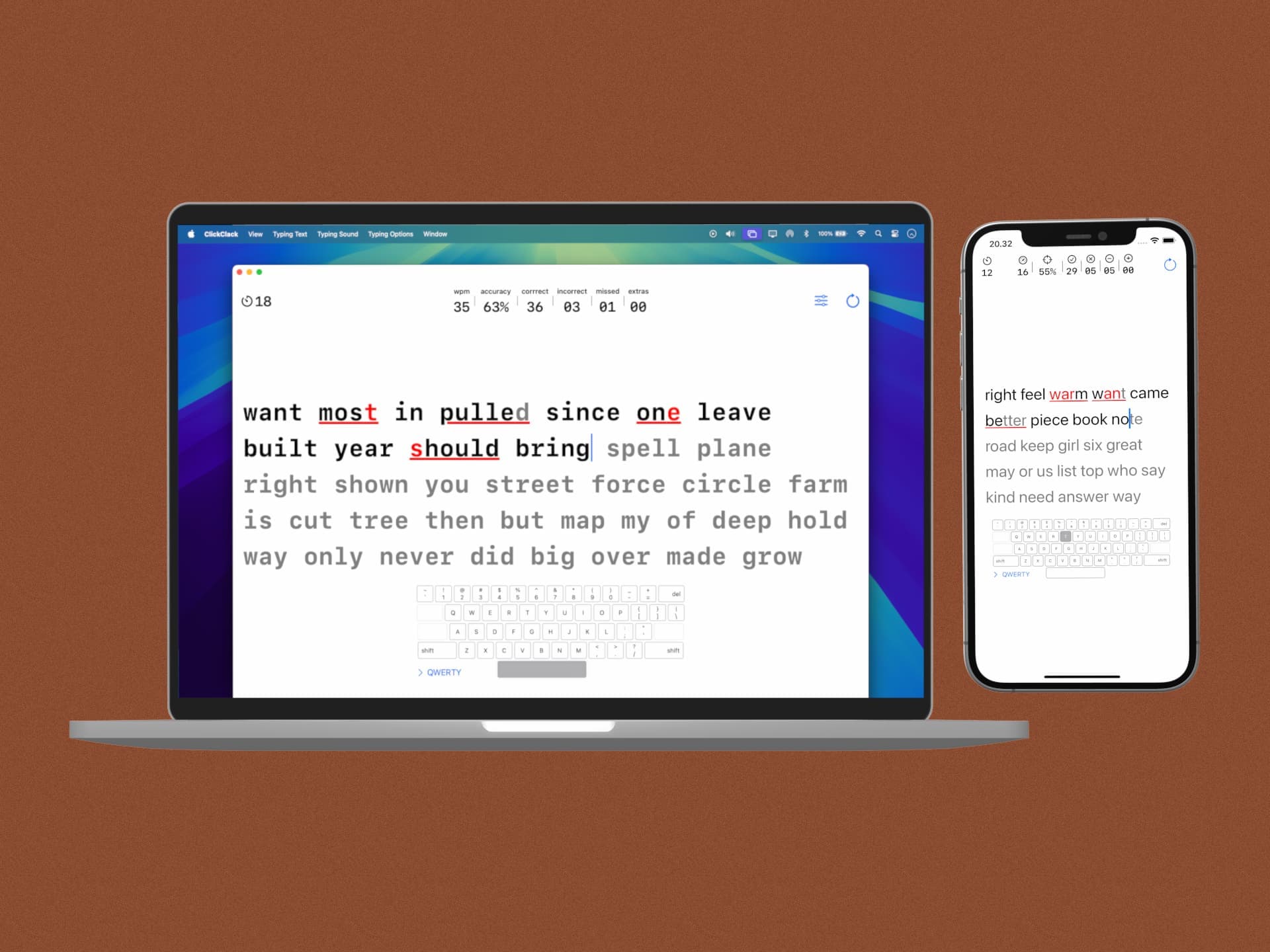
A really cool app for practicing touch typing. The main trick is that it’s cross-platform: it works equally well on Mac and iPad - and even on iPhone if you connect an external keyboard. So you’re not tied to a single workstation.
Personal experience, with a little pain: recently I had to deal with the German keyboard layout on a Mac. I thought the annoying part would just be the umlauts (ö, ü, ä) or Y and Z swapping places. But the real hell started with punctuation and special characters. When you code, brackets moving from 9/0 to 8/9, or slashes suddenly living somewhere else, creates some serious cognitive dissonance. Especially when your brain is constantly switching between your native and German layouts.
And ClickClack - even if only a little - helped me rebuild that muscle memory from scratch without boring drills. You simply get used to the new finger positions gradually, in a light and stress-free format.
The basic functionality is free. The full version is a one-time €7.99 purchase and includes advanced statistics plus AI-generated custom texts. That last feature is perfect if you specifically want to drill special characters and brackets. But the free version is more than enough to get started.
Klack | A Little Utility for the Soul
I’m an Apple fan, and that’s probably no secret to anyone by now. I also happen to like Apple’s modern keyboards. Which is why (obviously not) I have a Logitech MX Keys S in my arsenal - a keyboard that comes pretty close to the Apple Magic Keyboard both in looks and typing feel. I bought it for working with an external monitor and, as I imagined at the time, for switching painlessly to Windows whenever I needed to. I used Windows with this keyboard for about a month and haven’t touched it since. More than once I’ve thought I should’ve just bought the Apple Magic Keyboard with Touch ID. But that’s not what this is about.
No matter how you slice it, keyboards are a very personal thing, and I’m still not a huge fan of third-party ones. Especially modern mechanical keyboards. It’s kind of like cars: you can buy a Chinese EV packed with features and, technically, you’re driving electric - no complaints there. Or you can buy a Tesla, also an EV, but the quality and overall experience are different. I don’t know - say a Chinese car has ambient lighting that a Tesla doesn’t. Sure, it looks cool, but nobody is going to buy an entire car just because of that lighting. I probably could’ve picked a simpler analogy here, but hopefully you get what I mean.
It’s the same with keyboards: with mechanical ones, I love the sound. Everything else just isn’t for me. And I guess this app was made for weirdly specific people like me. I get all those satisfying “clacks” without having to give up my favorite keyboard.
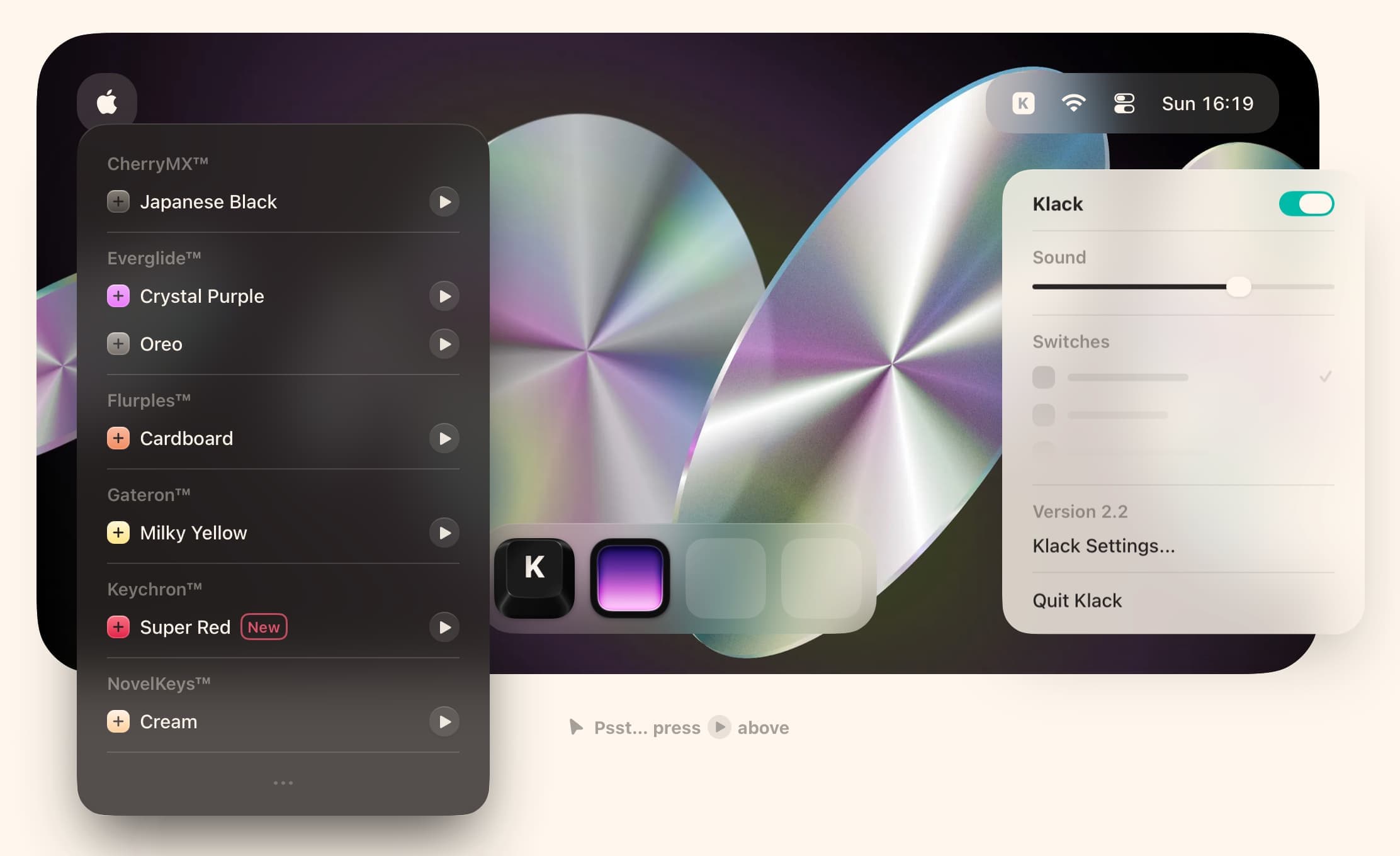
Klack is one of my favorite Mac apps. It adds realistic mechanical-keyboard sounds while you type - and if you press a key on the right half of the keyboard, the sound comes from the right speaker, while keys on the left come from the left. You can choose switch profiles and adjust volume as well as key-down/key-up sounds. And yes, this is a utility for pleasure, not productivity. But €5 for this kind of joy? Worth it.
There’s no free trial, but if you just want to see how the whole idea works, you can try the free alternative Thock (thanks to one of my subscribers for the tip). Visit the website
PushFit Pro | One Less Strain While You Strain
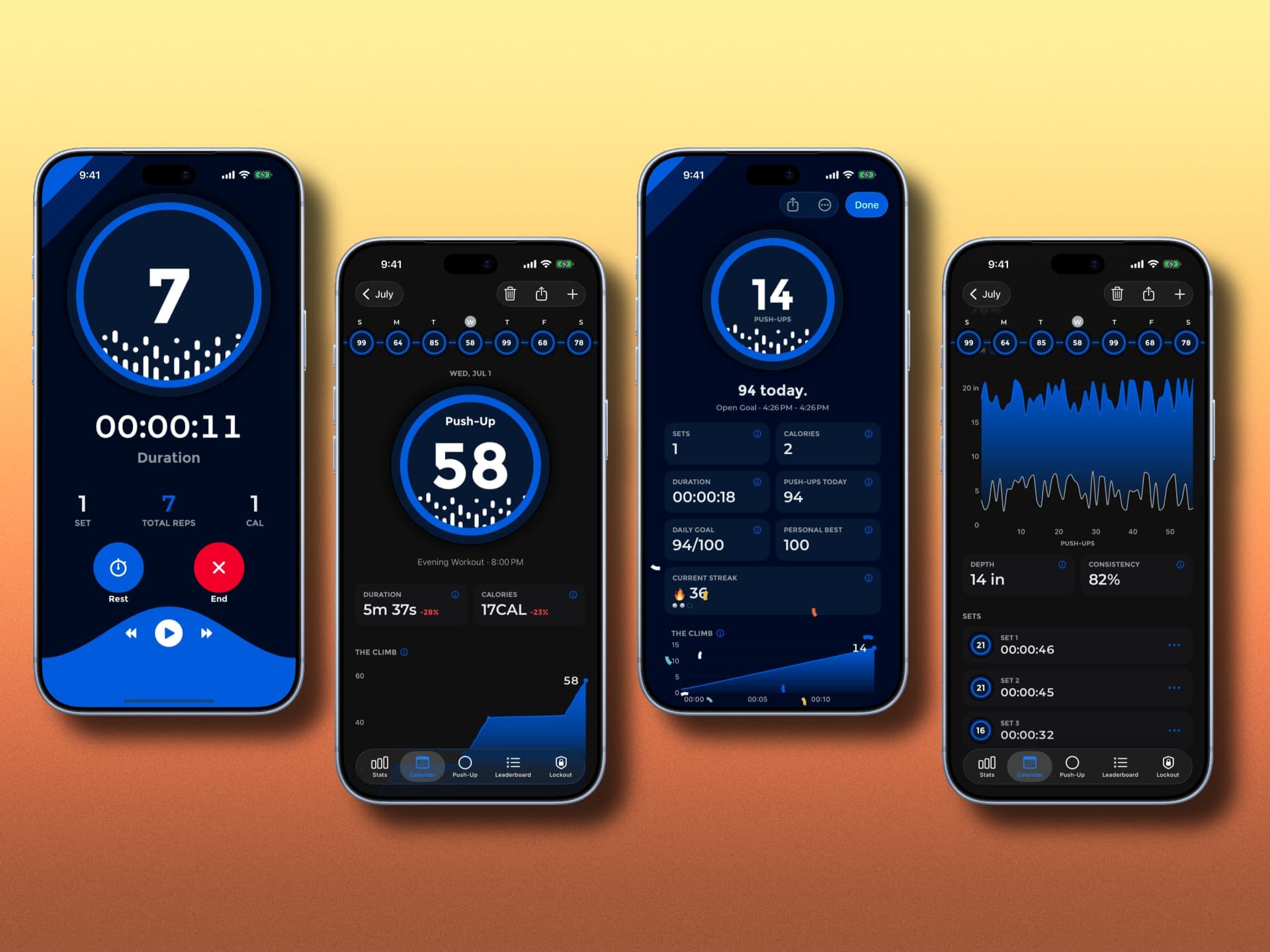
I’ve always hated tracking physical activity manually, especially when you constantly have to count something in your head. A bike ride or a run is fine - trackers have been recording those automatically for ages. But once you get to sets, push-ups, or squats, the most boring part of the workout begins. Finish a set, reach for the screen with sweaty fingers, type in a number... nonsense. And PushFit Pro was made exactly for people like that.
The app uses the front sensor array (Face ID / TrueDepth) to count your push-ups on the fly. Just put your iPhone on the floor in front of you, get into position, and start. The camera and sensors detect every lowering and raising of your head, giving you an accurate count without touching the screen once.
Hibi Calendar
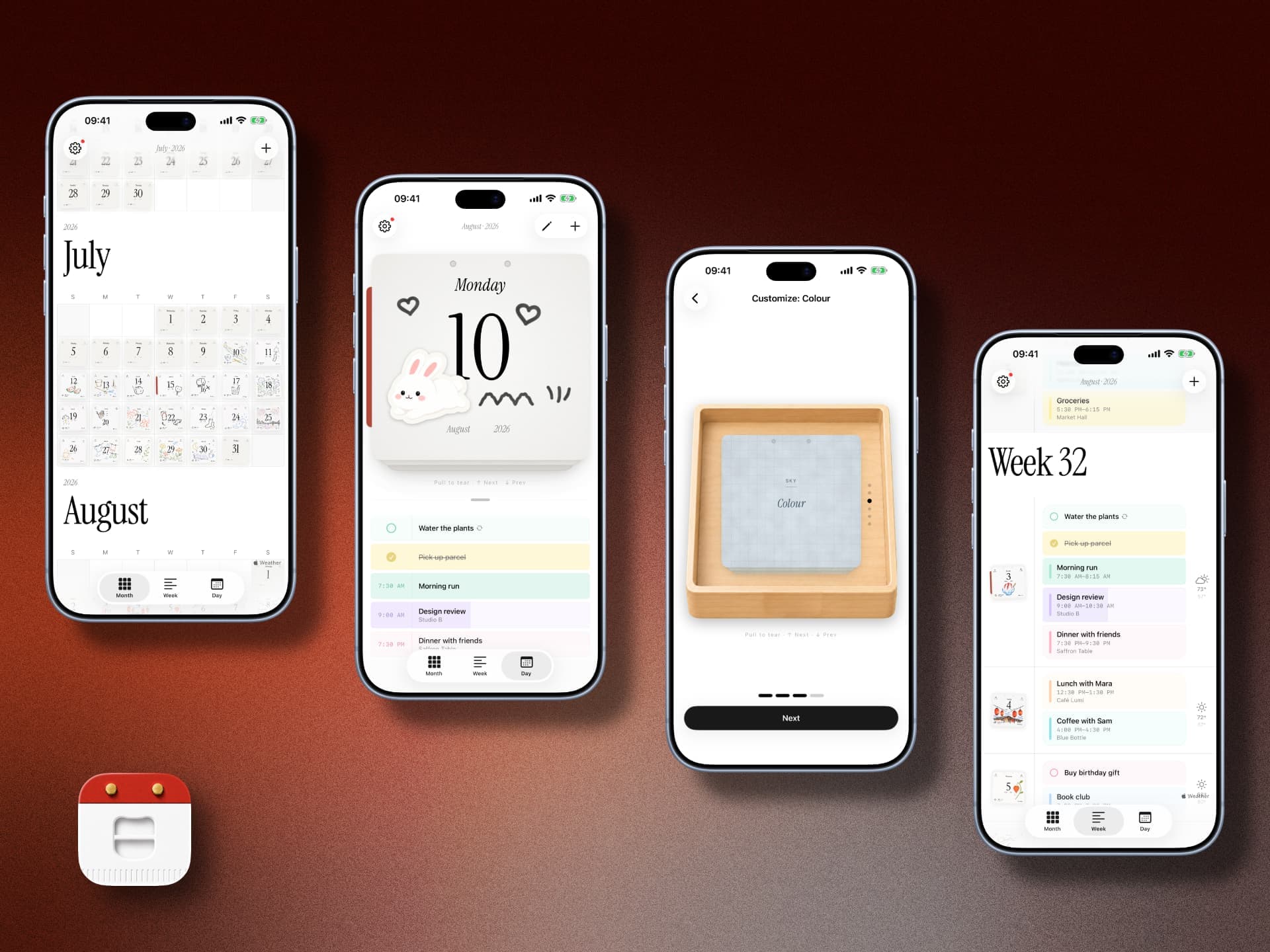
Calendars on the iPhone are always a holy-war topic, because honestly, it’s hard to beat the default Calendar app - and why pay for a calendar anyway? Sure, there are some decent apps with genuinely cool features, but they often duplicate parts of the system app or end up being awkward in completely different ways.
This one simply looks beautiful. You can add a sticker to a specific day, and its little thumbnail then appears on that date, making it easy to visually pick out important days in the timeline. The free version is perfectly usable.
SepiaPod
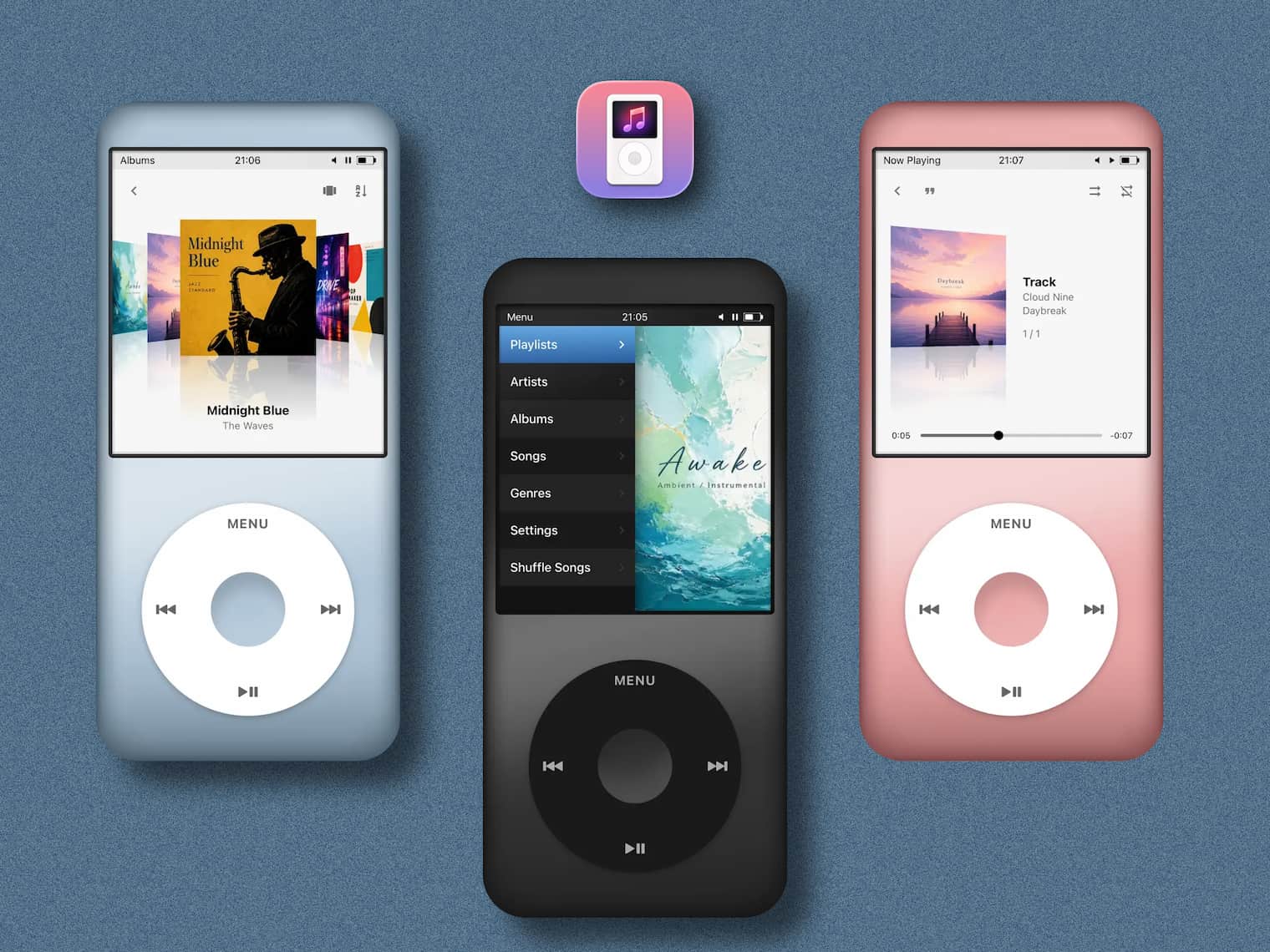
A nostalgic audio player for anyone who remembers the legendary iPod Classic. It pulls music from your Apple Music library. Once again, this is pure aesthetics. The app is completely free, so you can get your nostalgia fix without paying a cent.
Keyboop
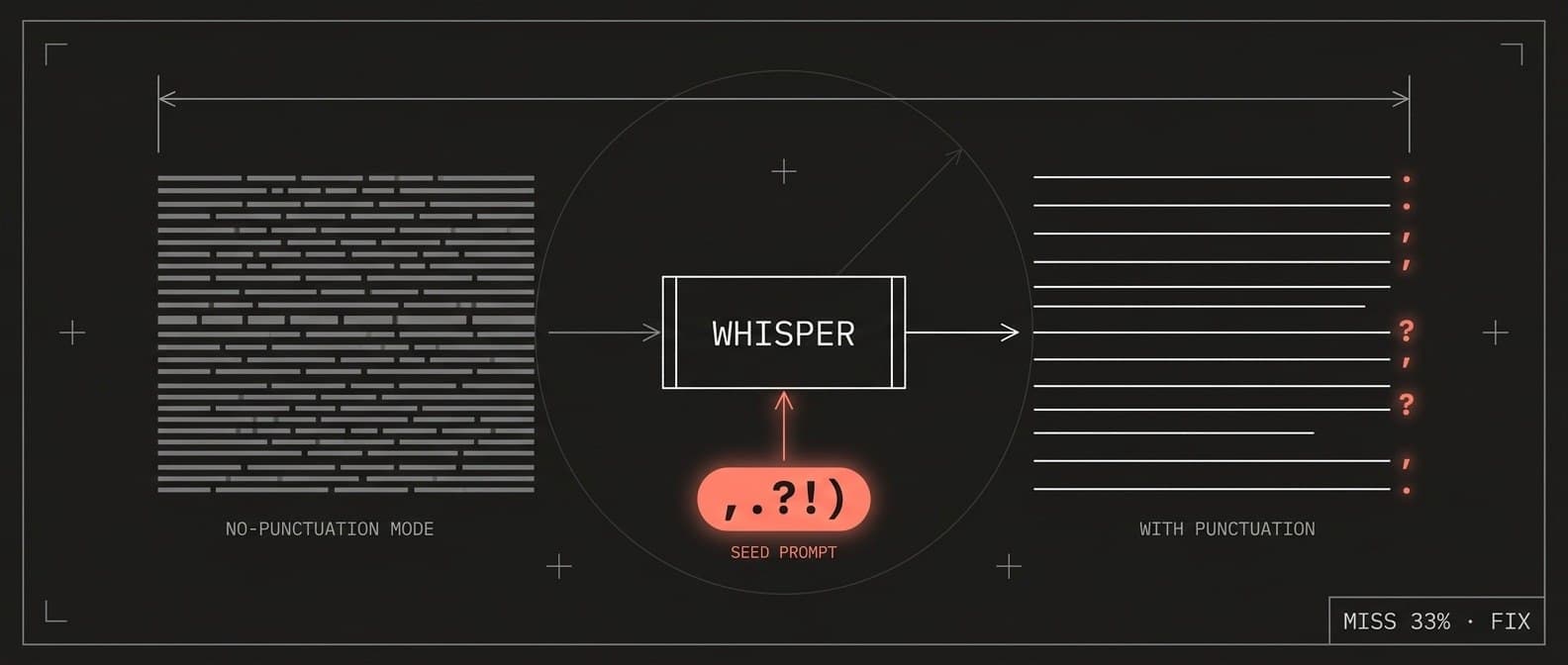
Years ago I was a fan of a simple little app called Caramba Switcher. I don’t even remember when Punto Switcher became much more popular instead. I tried it but never really used it - there were too many caveats, privacy being the biggest one. Eventually the whole thing just faded away for me.
And recently I stumbled across a new app that does almost the same thing, plus voice input. Judging by the source code - it’s open source - and not just the developer’s promises, it looks genuinely privacy-oriented.
Pivot of the Year | Is Midjourney Making MRI Scanners Now?
In tech there’s this concept called a pivot: a startup realizes its product isn’t taking off - or has hit a ceiling - turns 180 degrees, and starts doing something completely different. But what Midjourney pulled off is a pivot on another level entirely. The people who taught the whole internet to generate five-fingered anime girls and photorealistic concept art have decided to break into... medical hardware, introducing the Midjourney Scanner. Yep. The neural network for artists now wants to look under your skin.
How does it work, and what do pictures have to do with it? At first glance it sounds completely surreal. But dig under the hood and the logic is surprisingly technological: not magnets, but ultrasound. This isn’t a classic heavyweight scanner filled with helium and giant magnets, but a compact water bath packed with hundreds of thousands of ultrasound sensors. Raw ultrasound waves produce something closer to a noisy mess than a crisp image. That’s where Midjourney’s AI comes in: it takes that data and “fills it in” into an ultra-detailed 3D model of your internal organs. Essentially, they’re applying the same diffusion-style algorithms used to reconstruct details in artwork. Except now, instead of fantasy landscapes, the model is reconstructing your liver and kidneys.
So what could possibly go wrong? A blog image can be a little generated - nobody dies if an art character ends up with a sixth finger. But when AI starts hallucinating and inventing things around medical diagnoses - while ultrasound simply can’t pass through bones and ribs - things get scary. Whether regulators in the US and the notoriously strict medical community will approve all of this is obviously a huge question. But the fact that the world’s most famous art generator decided to challenge Siemens and Philips in medical equipment is easily one of the year’s biggest absurdities - and one hell of a technological marker.
Koco Widgets
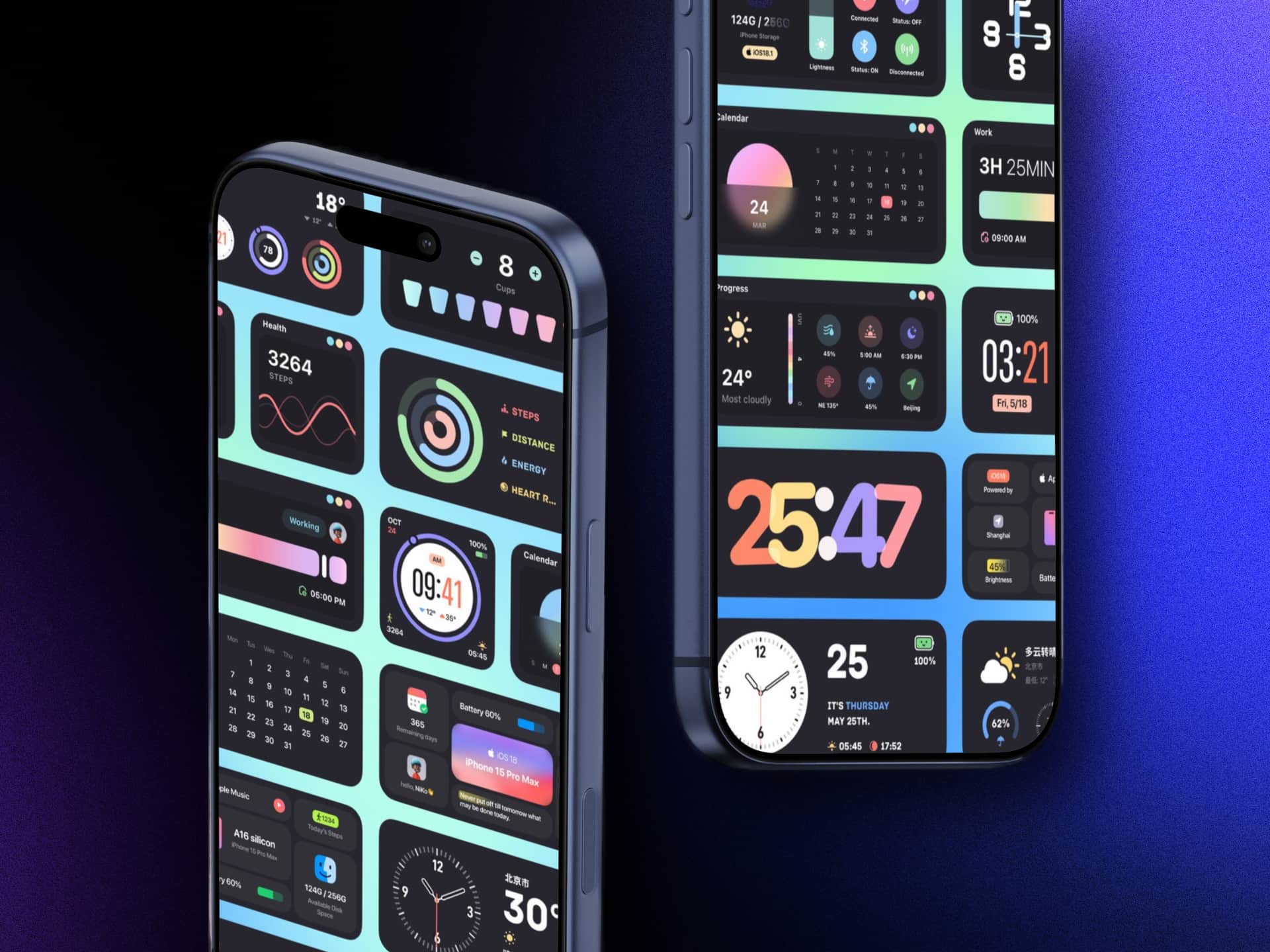
I fell in love with this app years ago because of one particular clock widget styled like an Apple Watch face, which I’ve been using ever since. There are plenty of other widgets in all sorts of styles too, so there’s something for pretty much everyone.
If you’ve been looking for a clean, uncluttered clock widget, or just want to refresh your Home Screen without those gaudy Pinterest-style templates, I highly recommend giving it a try.
Weather Glow
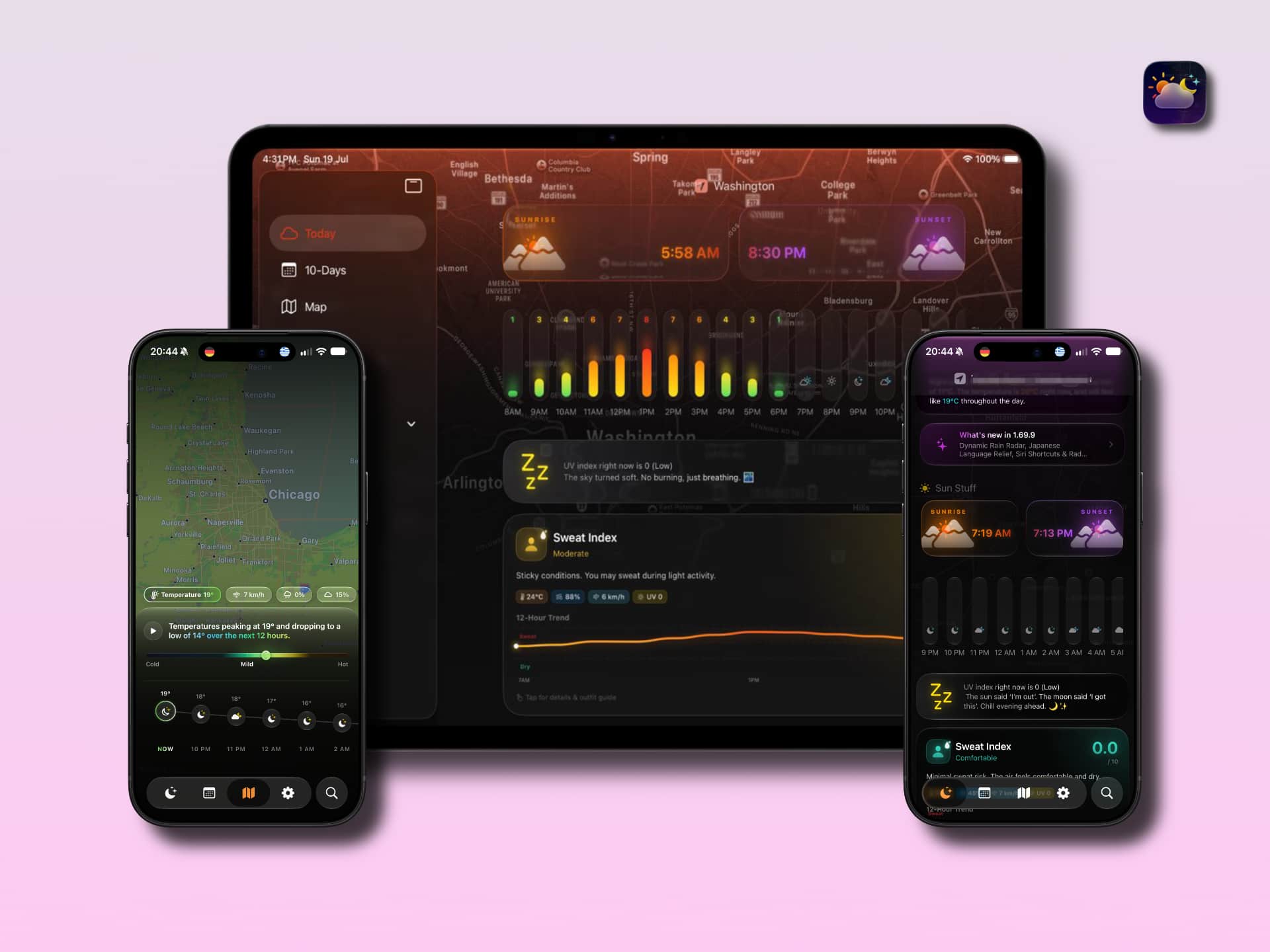
Apple’s default Weather app is genuinely great - you don’t really need anything more. But when you simply want a different look, third-party developers often throw $30-60/year subscriptions at you, while indie developers somehow still manage to make things that are genuinely beautiful and pleasant to use.
WeatherGlow is exactly that kind of visual candy for iOS and iPadOS. The app is all about excellent typography, custom icons, and rich visual gradients. All the key metrics - from hourly forecasts and air quality to an interactive precipitation radar and UV-index maps - are packed into ultra-clean, responsive cards.
To me, it’s a gorgeous and highly aesthetic alternative to the default weather app for anyone who appreciates interface design, smooth animations, and obsessive attention to small details without visual clutter.
Flippr: Daily Moments
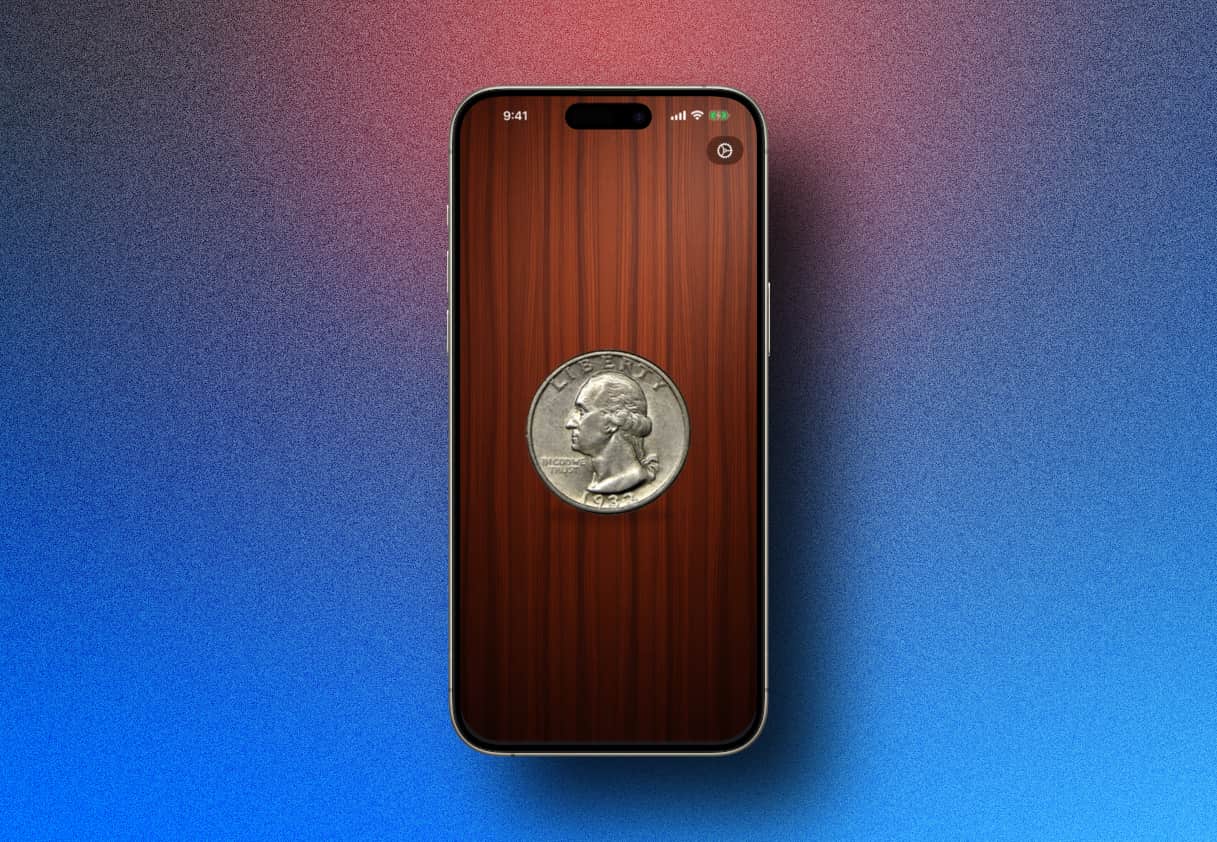
Sometimes you hit a situation where making a choice - or settling some tiny argument - becomes weirdly difficult. That’s when you can pull out a coin and flip it after picking your side. But sometimes there’s no coin around, and that’s where an app like this comes in. Besides, we’re moving everything into digital anyway. Pocket cyberpunk. The app is completely free.
Sometimes your brain just gets stuck on the simplest decision. Which pizza to order, whether to go for a walk, which movie to see. The good old solution is to flip a coin and leave it to chance.
But since we’ve moved almost completely into digital, the coin might as well come with us. Flippr is a clean, free, ridiculously pleasant little app that does exactly one thing - and does it perfectly.
No nonsense, no ads, no subscriptions. A tiny, stylish, completely free pocket artifact for everyday life.
You Thought You Were Catching Pikachu, but You Were Actually Training Delivery Robots: How Pokémon GO Built a Giant 3D Map of the World

Remember 2016-2017 and the years after, when crowds wandered through parks, peered under bushes, and surrounded monuments with their faces buried in smartphones? Officially, they were hunting rare Pokémon. Unofficially, they were scanning the world for a global AI navigation system - for free.
Players were given in-game goodies, and in return they were asked to slowly walk around a monument or building facade while filming it from different angles with their phone.
While Google sent specialized camera cars down the same streets maybe once a year, Niantic received billions of highly detailed pedestrian-level photos - captured at different times of day, in different weather, from different angles, with dynamic objects all around.
The result of this “hunt” was a database of more than 30 billion geotagged images. On top of it, the company built what it calls a Large Geospatial Model - essentially a spatial counterpart to text-based LLMs.
Regular GPS can be off by meters, gets confused among skyscrapers, and knows almost nothing about the actual structure of the space around you. Niantic’s Visual Positioning System, meanwhile, can determine where a camera is and exactly where it’s pointing with centimeter-level precision. The device no longer has to guess where it is - it can instantly load an accurate 3D model of its surroundings. Today, that data powers wheeled delivery robots such as Coco Robotics. They roll along sidewalks where GPS struggles, while AI recognizes urban objects through the visual knowledge collected by Pokémon players.
It’s basically the perfect example of turning hundreds of millions of gamers into an army of photogrammetry operators without ever putting them on payroll. The short takeaway: there’s no such thing as useless data. A piece of tape over your webcam won’t save you here. Even if you’re paranoid, you can still become part of a system without realizing it - or even knowing it exists. Though, one way or another, we’ve all been part of it for a long time already.
Modern Football

One of the biggest events of this summer was the World Cup, which finally proved that elite sport is no longer just about magic or intuition. It’s about math, simulations, and sensors.
And the most interesting part is that EA - the company behind the former FIFA series, now FC - predicted the winner of the 2026 World Cup before the tournament even began using a simulation in EA Sports FC 26. The virtual simulator predicted Spain would win, and that’s exactly what happened in reality. Spain beat Argentina 1-0 in the final.
And it wasn’t the first time: EA had previously guessed predicted the winners of the four previous World Cups - in 2010, 2014, 2018, and 2022 - making 2026 its fifth correct prediction in a row.
Five. Fucking. World Cups. In a row. A full chain of algorithmic prophecies that seems to say one thing: modern football has become so quantifiable that a game engine fed with real team statistics can simulate reality better than hundreds of sports pundits. Comparing football from 10–15 years ago with today is like comparing a button-phone Nokia with a brand-new iPhone.
One of Droider’s breakdowns does a great job showing what today’s football - the actual ball included - has turned into, with full-blown electronics hidden beneath its shell.
Football today is essentially one giant database processed in real time. Referees are assisted by AI systems, players wear sensors, and the ball sends telemetry to servers faster than a fan can shout “Goal!”
An Addictive MKBHD Video About Chips
While most reviewers keep running the same AnTuTu benchmarks year after year and seriously comparing how many milliseconds faster the new iPhone opens the Camera app, Marques Brownlee has, surprisingly, made a fantastic video that reminds you why we fell in love with tech blogs in the first place. He took on an incredibly difficult task: visually explaining what the billions of transistors inside modern Apple chips actually mean, using the M5 as an example.
When Cupertino throws another abstract number onto a presentation slide, our brains simply refuse to process the scale. MKBHD solves that by visualizing it with clear 3D graphics and a step-by-step zoom down, literally pulling the viewer inside the silicon.
To explain the size of a modern 3-nanometer transistor, Marques shows how the first transistor from 1948 would tower like the Burj Khalifa next to a scaled-down version of himself, while a single element on the M5 would feel more like an ordinary car garage. Anyway, I’m not going to spoil it, just watch the video. It’s dubbed in plenty of languages. Instead of a boring retelling of specs and dry Wikipedia numbers, it’s pure visual delight that makes you look differently at that tiny slab of silicon sitting inside your laptop or pocket.
What I’m getting at is that real tech blogging isn’t about being able to read a presentation slide. It’s about making the viewer genuinely lose their mind over just how much incredible engineering humanity has packed into an everyday device.
Mononote: One note
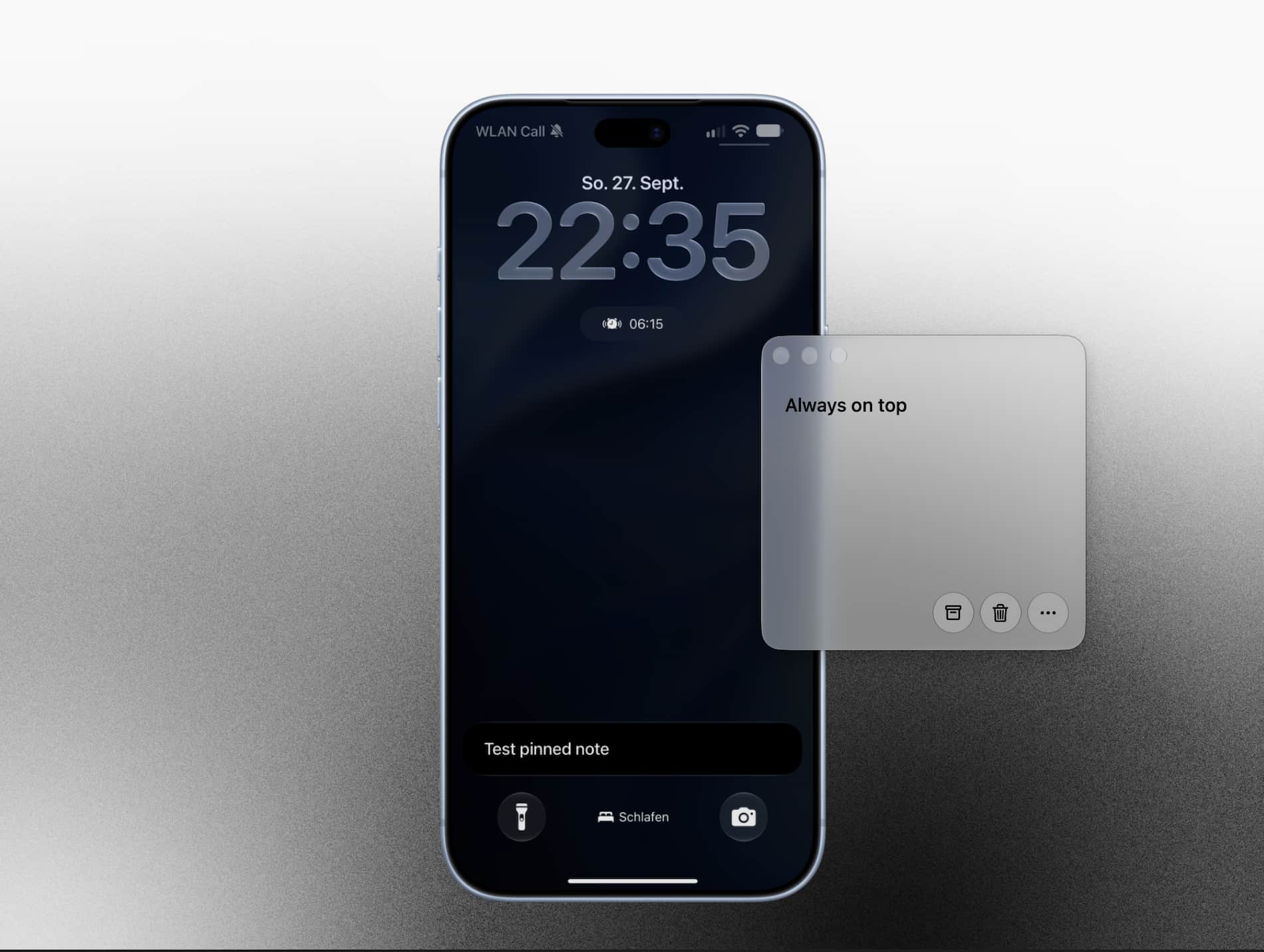
This is basically the perfect digital equivalent of a yellow Post-it stuck to the corner of your monitor or Lock Screen. The concept is radically simple: you get exactly one note. No folders, tags, databases, or endless lists you’ll be too lazy to sort out later.
Some things just don’t belong in Reminders or an overloaded organizer: an SMS code, a parking spot number, a three-item shopping list, or a thought you need to finish right now. That’s exactly what Mononote is for.
The app pins your one and only note directly into Live Activities on the Lock Screen and in Dynamic Island on iPhone/iPad, or keeps it in a floating window above other apps on Mac. A completely free utility with no subscriptions, ads, or heavy overhead.
Folder Quick Look
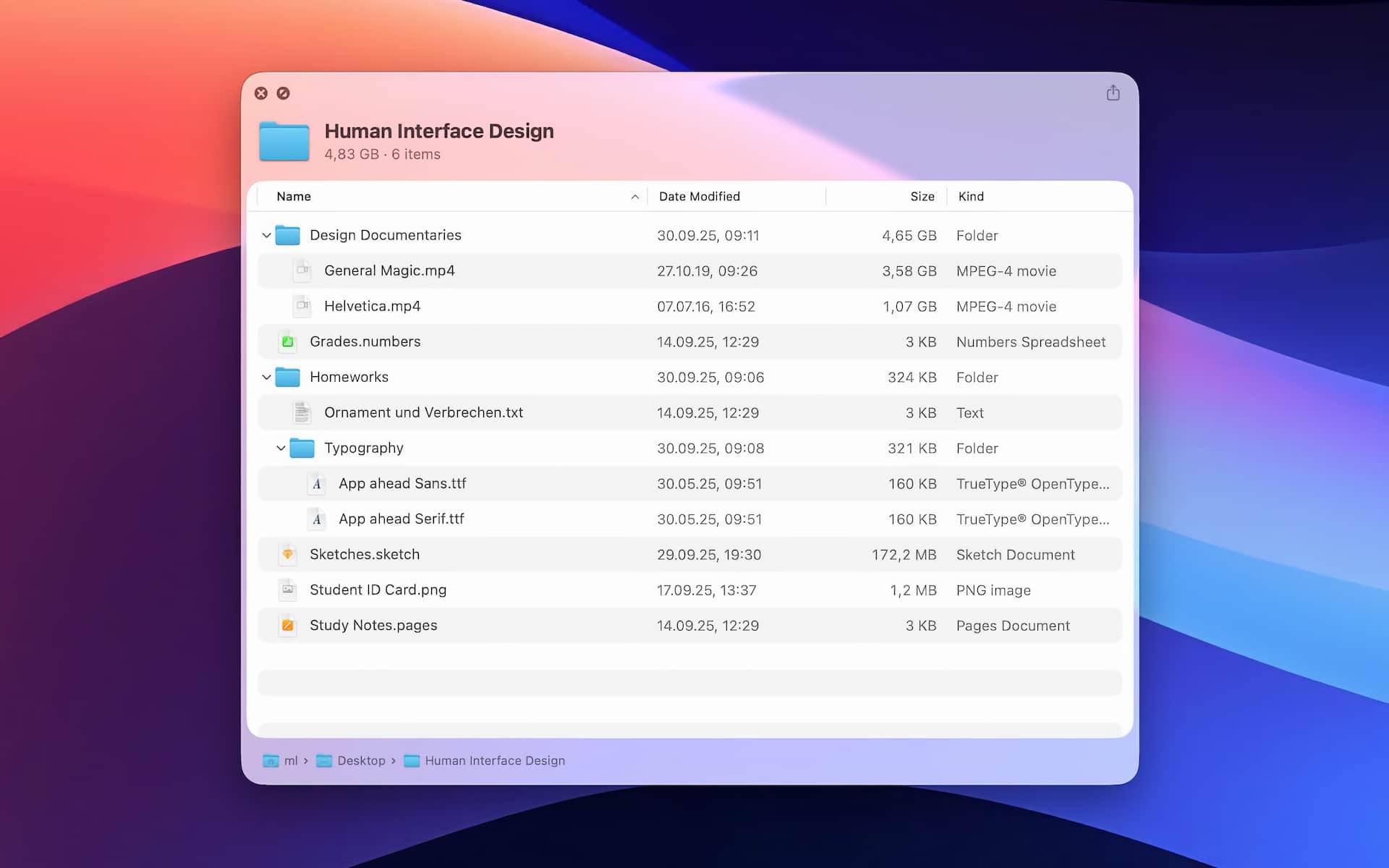
macOS has tons of tiny conveniences whose absence makes me hate Windows whenever I have to use it. The Space bar is such a basic key it exists on both systems yet only on macOS does it unlock something genuinely useful. Yes, I mean Quick Look, which lets you preview a file or image right in Finder. The one thing it always lacked was a proper preview of a folder’s contents. Folder Quick Look fixes exactly that. Now pressing Space shows not only the folder’s total size, but also the folders and files inside it. And the utility is free.
Anyone who regularly jumps between macOS and Windows knows this pain. Quick Look with the Space bar is one of those basic features you get so used to that Windows makes you feel weirdly helpless without it. But Finder’s standard Quick Look has always stumbled over folders, giving you little more than a boring folder icon and its size. Folder Quick Look closes that annoying gap with the Space bar pun absolutely intended.
A tiny free utility that brings native Quick Look on macOS ridiculously close to perfection. Just select any folder in Finder, hit Space, and you get a proper tree view of its contents. The app blends seamlessly into the system’s existing behavior.
A must-have for anyone who values fast file-system navigation and likes saving unnecessary clicks.
Itsycal
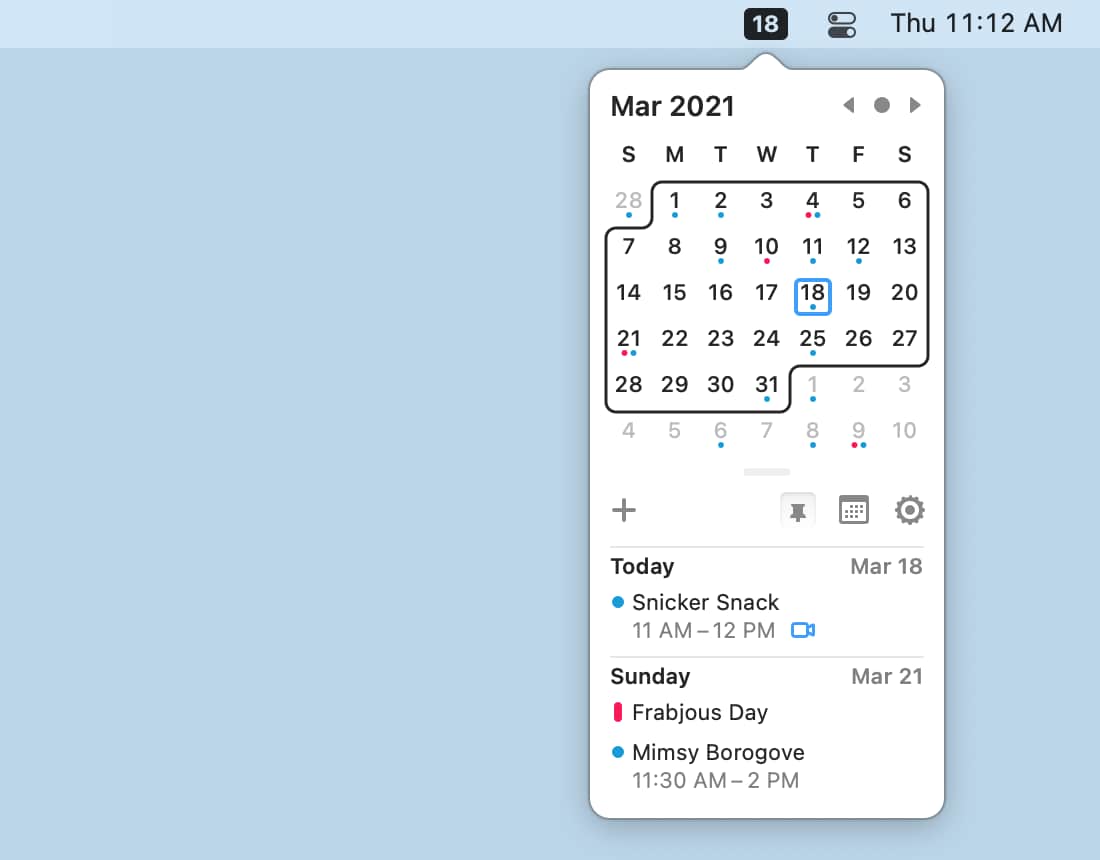
A free, open-source calendar for macOS that quietly lives in your menu bar and does exactly what it needs to do without gigabytes of unnecessary code or subscription nonsense. It’s a small, clean month grid with your events and meetings, sitting right there in the menu bar.
The thing that makes me love Itsycal separately to the point where I barely even care about the calendar itself is the hourly chime. That subtle but noticeable little “beep,” just like an old Casio digital watch.
When you’re buried in work at a monitor, it’s easy to lose track of time and disappear into hyperfocus for half a day. That cozy little “beep” gently grounds you and says: hey, another hour just passed breathe for a second. And yes, it’s completely free.
Freewrite
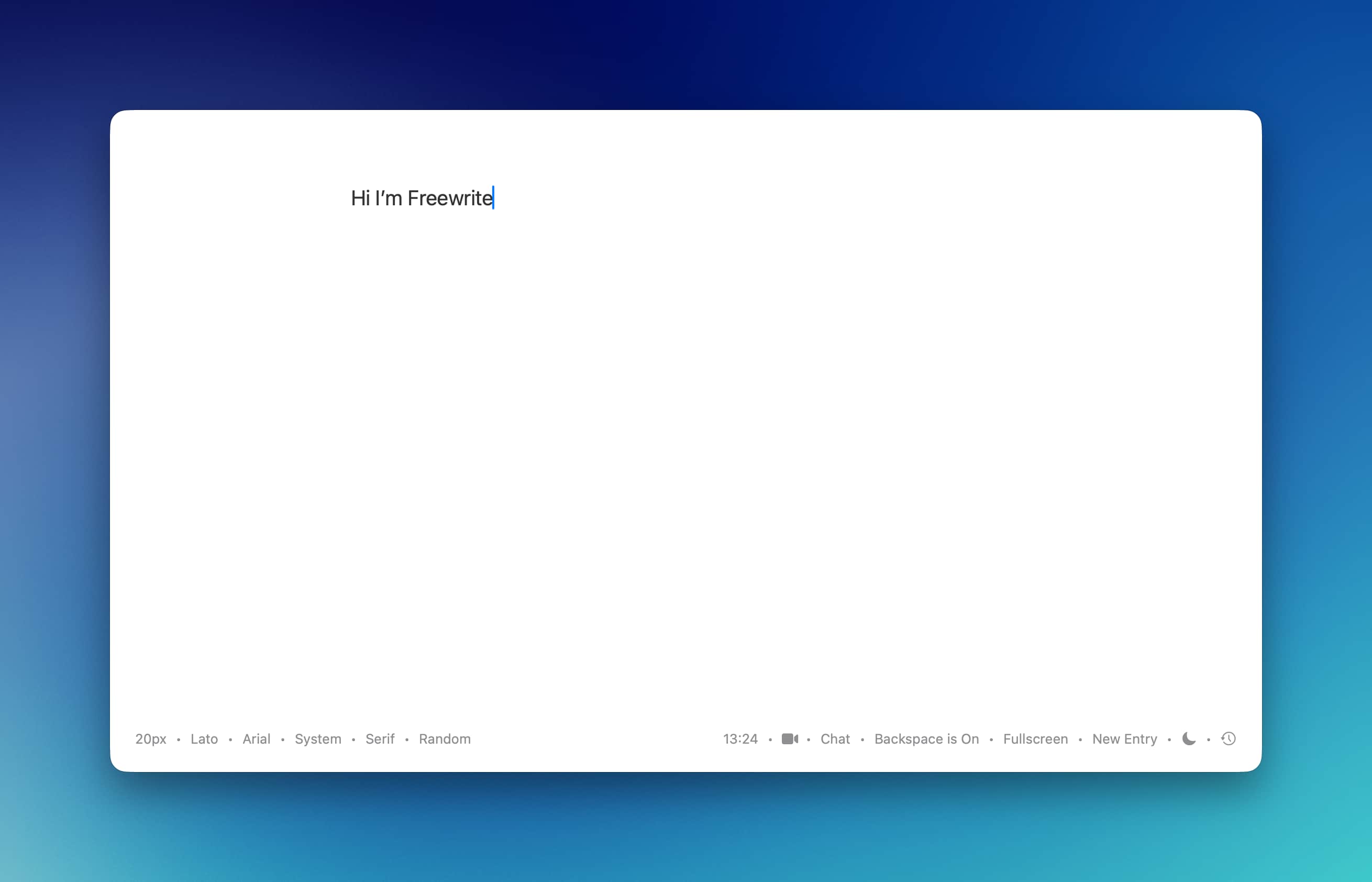
An ultra-minimalist text editor for Mac, an iA Writer alternative, maybe? - built for exactly one job: remove everything unnecessary and let you focus on the text. Absolute visual vacuum. No overloaded panels, settings, labyrinthine menus, or distractions. Just you, a blank page, pleasant typography, and a focus mode. On top of that, the app is completely free and doesn’t try to sell you a $4.99/month subscription for basic formatting.
A great free tool for anyone looking for an aesthetic, fast writing machine on Mac without all the noise.
And of Course, We Can’t Forget 2Do :)
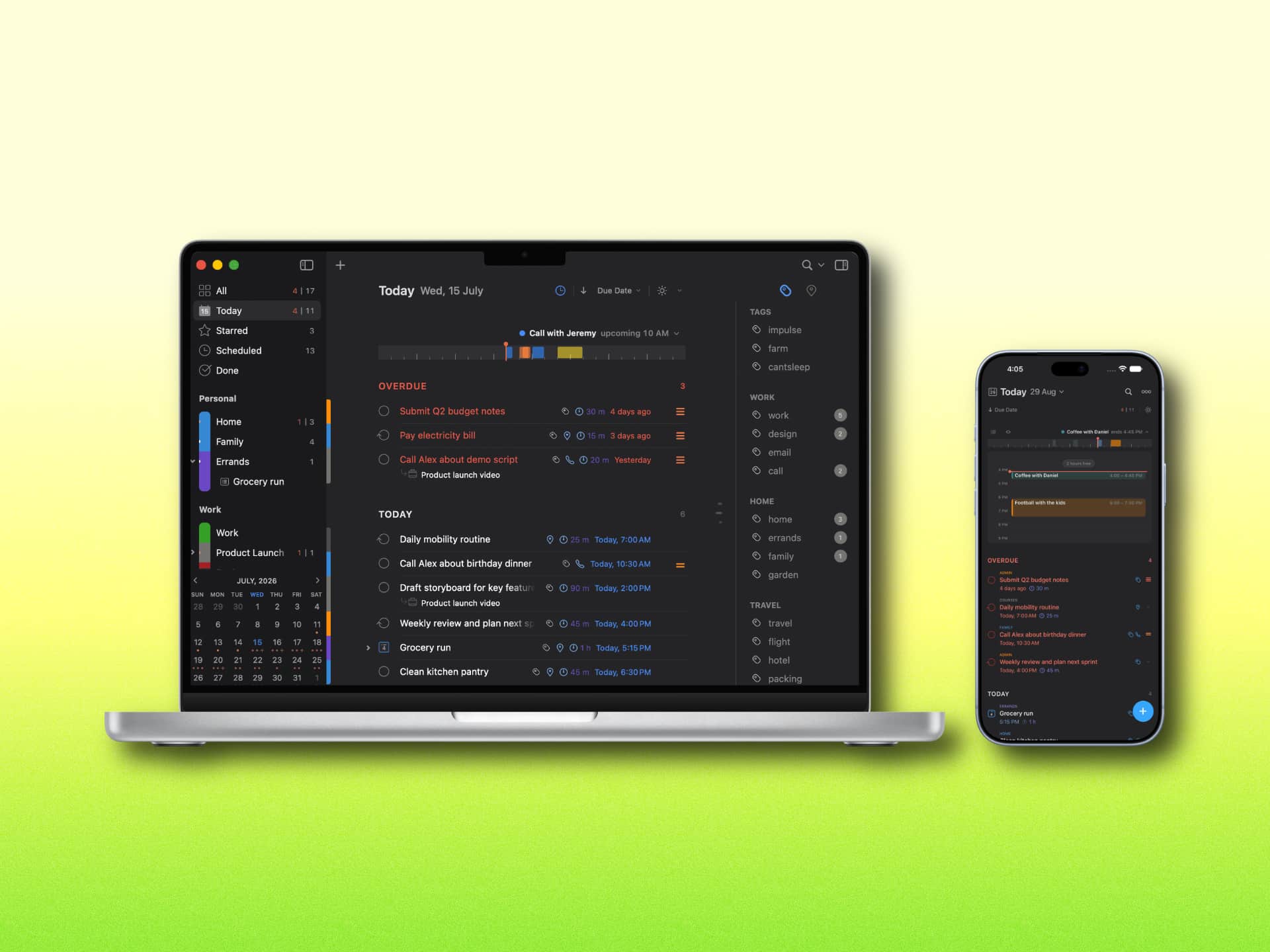
2Do is one of the true veterans of the Apple ecosystem - for many people, it was where GTD (Getting Things Done) began. So the fact that the developer decided to give it a second life is great news.
If Things 3 wins people over with aesthetics and Todoist with simplicity, 2Do has always been the geek among task managers - better suited to people who want to control their workflows at maximum depth. To cut all the comparisons short: 2Do feels like someone handed you a construction kit for a system you can configure however you want, from a simple to-do list to something much more serious. Things 3, on the other hand, is a system that has already been designed for you.
The interface has finally been refreshed - cleaner and visually closer to modern Mac/iOS standards - the sync engine was completely rewritten, and the app was brought up to speed with newer macOS/iOS features, from Claude Co-Work, AppleScript, and Siri Shortcuts integrations to native Markdown in notes and seamless integration with iCloud / Apple Reminders.
As I said, you can manage projects of basically any complexity, and most importantly, you get complete freedom over your data: sync through iCloud, Dropbox, Todoist, Reminders, Fastmail, or your own CalDAV server. It’s a seriously strong comeback for a classic, especially for anyone who finds default Reminders painfully limited and hates Todoist/TickTick subscriptions.
There are downsides, though. The main one is the price - although, in a way, that’s also a plus. The iPhone version costs €/$9.99, iPad €/$19.99, and Mac €/$49.99. The Mac version has an interesting catch: you keep the app forever at that price, but you only get new features for 18 months. A hidden subscription? Maybe. The upside is that if you only use 2Do on iPhone, you don’t have to buy the other versions at all. There’s also a free 14-day trial on Mac.
But again: this is for people who want to build their own system, not just adopt one that’s already been designed for them. If your current system doesn’t work, maybe it needs some changes. If you already have something dependable but want a serious layer of extra power on top, 2Do may absolutely be worth trying.
Website | 2Do for iPhone | 2Do for iPad
Parchment
Christopher Lawley is practically the chief evangelist of the “iPad as your main computer” idea, so expectations for his own utility were understandably high. And you could say he delivered.
For years, he built his workflows around organizers, notes, and planners - just look at his channel. Eventually he got tired of compromising with other people’s software and released Parchment, an app built around the Daily Note concept, combining the system Calendar, Apple Reminders, and quick notes into one chronological stream. Open a day and you immediately see your meetings, today’s tasks, and a free space for thoughts, logs, or ideas. No overloaded visual clutter - just an ultra-minimalist, almost newspaper-and-paper-like interface.
Are Slop Streams Our Future?
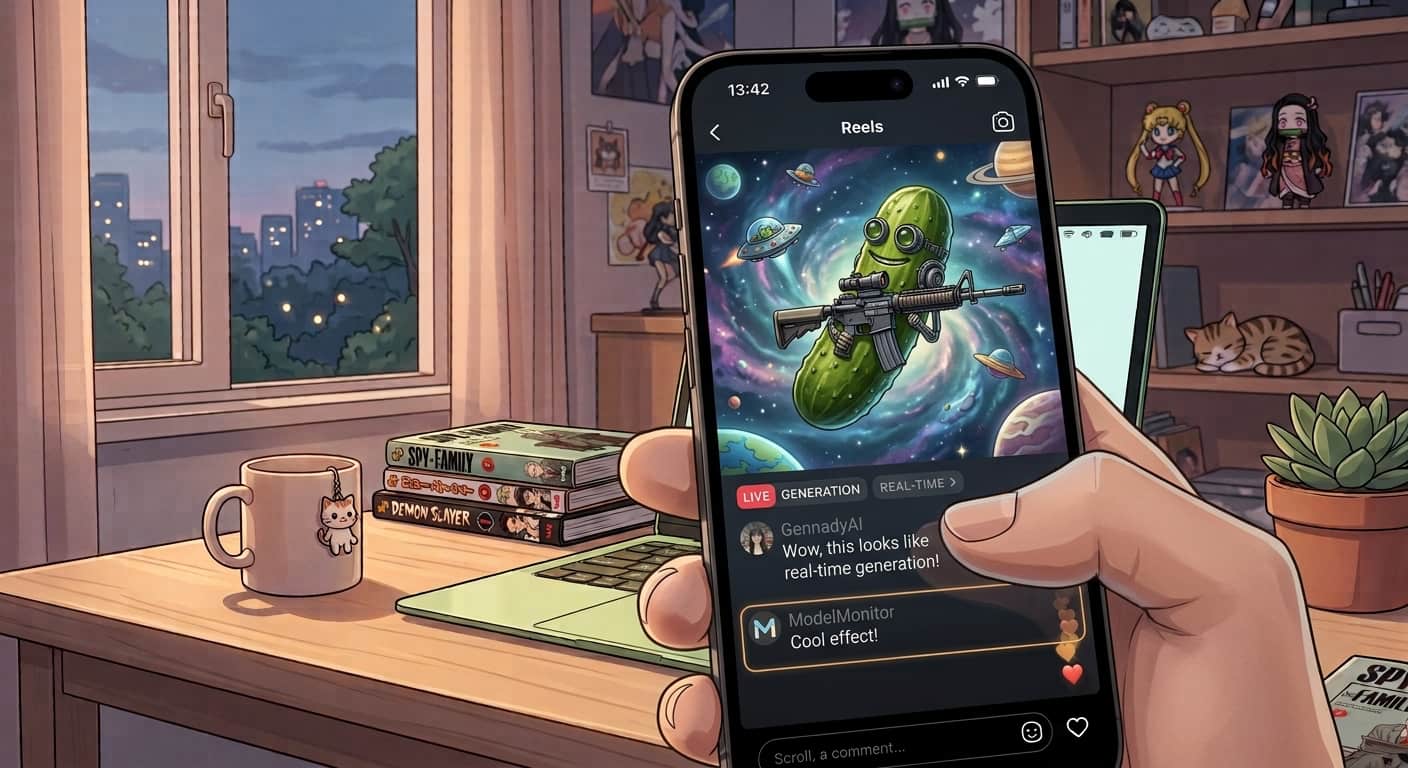
While we were getting used to waiting half a minute for a five-second AI GIF, generative-model provider fal made a small breakthrough in speed. They released turbo versions of MiniMax H3 that can render video faster than the video itself plays back. A five-second clip can be generated in just 0.44–2.33 seconds. In other words, generation speed has officially crossed into faster-than-real-time territory.
In Rick and Morty, interdimensional cable worked - at least in my head - on exactly this principle: pure improvisation, stream of consciousness, total nonsense generated live in real time, with insane plots being born second by second. With fal’s breakthrough and MiniMax H3, we’re getting surprisingly close to that.
Imagine a stream where the plot and visuals adapt to chat comments with literally zero delay. Someone writes, “make a flying cucumber with a gun appear,” and less than a second later it’s already being rendered into the scene in real time.
Rick and Morty had thousands of channels full of slop. In a couple of years, every user could have their own personal stream of “intergalactic TV” that never ends, because the neural network renders frames faster than you can blink.
The internet today is already nothing like the one we grew up with. But I don’t think we should get too comfortable with today’s version either, because in a few years there’s no telling where it’ll end up.
Handy

Built-in dictation in macOS and iOS has improved a lot over the past few years, but it still has plenty of fatal annoyances: it randomly stalls, cuts recordings off mid-sentence, mangles complex terminology, and demands a perfect internet connection while sending your voice to Apple’s servers. Handy solves the problem in a much more radical way.
Unlike system dictation, Handy runs neural models such as Whisper and Parakeet locally on the chip, meaning not a single byte of your voice or text has to leave the device. What’s especially cool is that it handles slang, technical terms, and two languages at once. Normal dictation often falls apart when you mix English terms into Russian speech. Local Whisper models are much better at handling mixed languages, slang, niche IT vocabulary, and punctuation without stupid mistakes.
It works as Push-to-Talk: hold a keyboard shortcut, say your thought, release it, and the text instantly appears in the active input field without waiting around for transcription. The utility is built with Tauri/Rust, so it barely touches your RAM and puts almost no load on the system while idling in the background. Free.
The iPhone Duo Hype
Whenever Apple rolls out a new feature or some distinctive - in a good way - design idea, the indie developer community immediately responds with a wave of funny little software experiments. iPhone Duo was no exception.
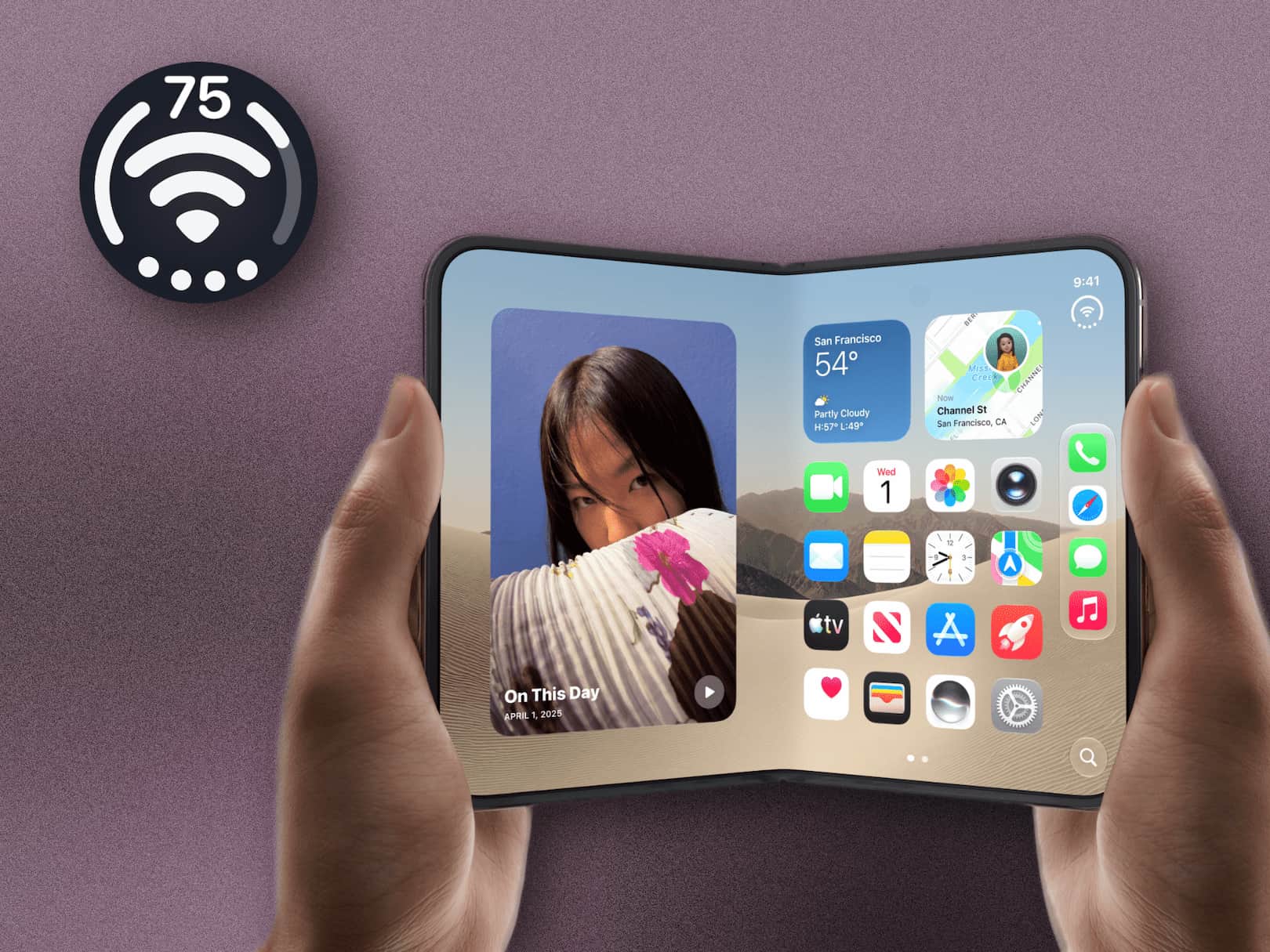
One developer quickly copied the distinctive style of its system status displays. Instead of the usual minimalist pill, you get visual widgets for battery, Wi-Fi signal, and volume in place of the cellular-signal bars. Tiny detail, but it feels fresh.
The iPhone opening animation... on your MacBook lid
Everyone’s seen that signature smooth animation when opening the iPhone Duo for the first time, right? Another enthusiast brought the same aesthetic to macOS - now the animation plays when you close your MacBook lid.
It looks ridiculously stylish and authentic, with one tiny catch: to actually appreciate it, you have to peer into the narrowing gap under the closing display during the final seconds. Pure geek fetishism for the sake of the ritual itself.
PurrPad
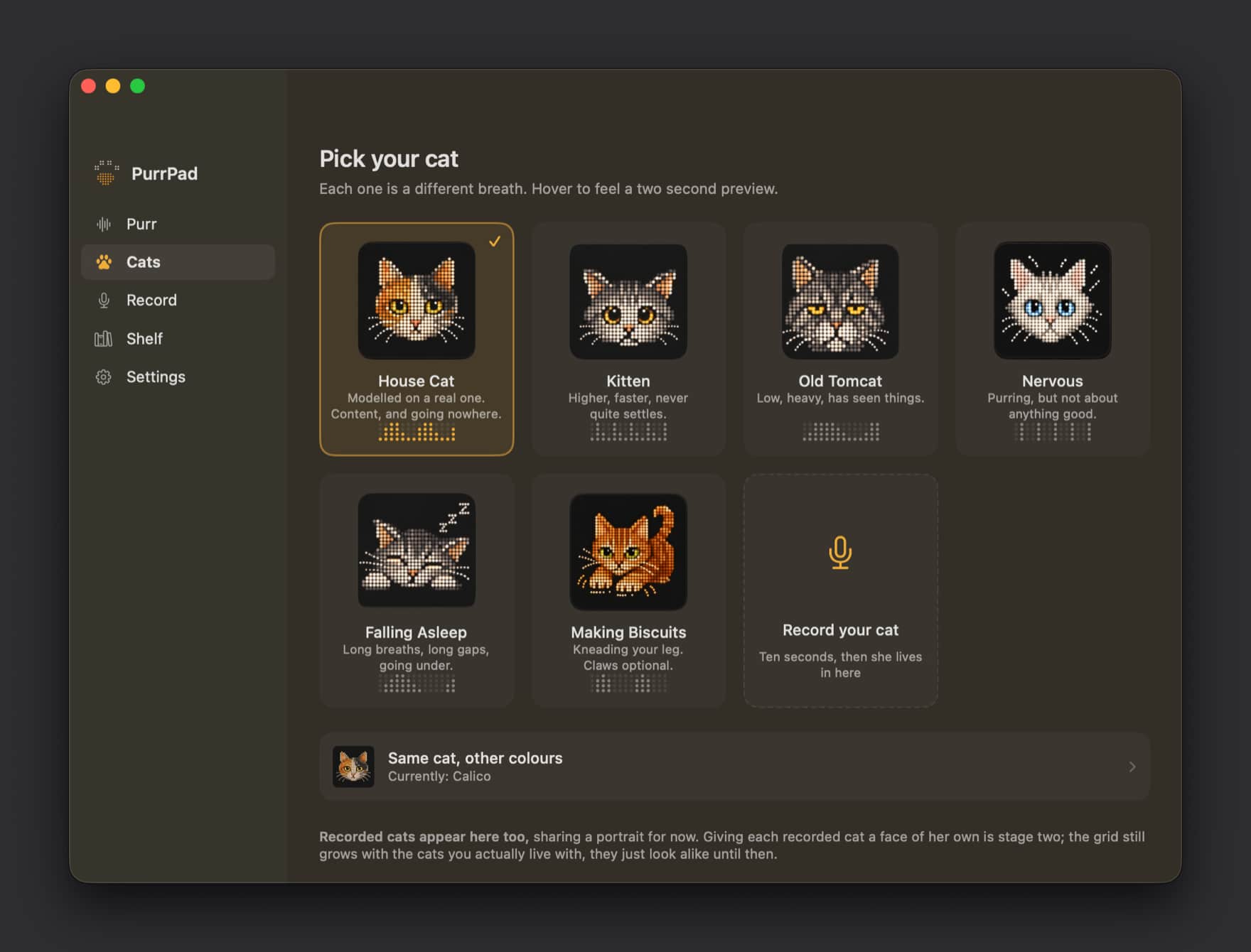
An app from the “why the hell not?” category that makes your MacBook purr. If you thought the Taptic Engine in Apple trackpads existed purely to simulate a physical click and provide precise feedback while editing video, the PurrPad developers would like a word. They found a better use for it: turning your trackpad into a vibrating cat. The utility creates a barely perceptible but weirdly authentic low-frequency vibration through the glass surface, accompanied by a soft, almost inaudible purr.
Why do you need this? You absolutely don’t. But resting your palm on the trackpad during a brutal work call creates a surprisingly pleasant grounding effect. A tiny digital anti-stress toy. The perfect useless utility.
That’s enough apps for now. Let’s go somewhere time disappears even faster.
Games
There are only a few here - not because I haven’t played anything (although that too), but because genuinely good releases have become absurdly rare.
Servant of the Lake | Back to the Roots of the Most Surreal Puzzle Series
Rusty Lake is basically the main supplier of stylish, cozy, and at the same time deeply unsettling indie weirdness - I honestly don’t know what else to call it - on mobile platforms. This time they came out swinging with a prequel to their cult classic Rusty Lake: Roots.
As always, it starts innocently enough: you take a job as a servant in a gloomy estate decades before the events of Roots. And, as is tradition with Rusty Lake, it ends with occult experiments, alchemical rituals, and cleaning up the consequences of someone trying to cheat death.
Whatever the case, this is one of those series a lot of people genuinely love. A perfect dose of dense, aesthetic surrealism for anyone who likes exercising their brain inside the atmosphere of a good detective horror story.
Ultrapool
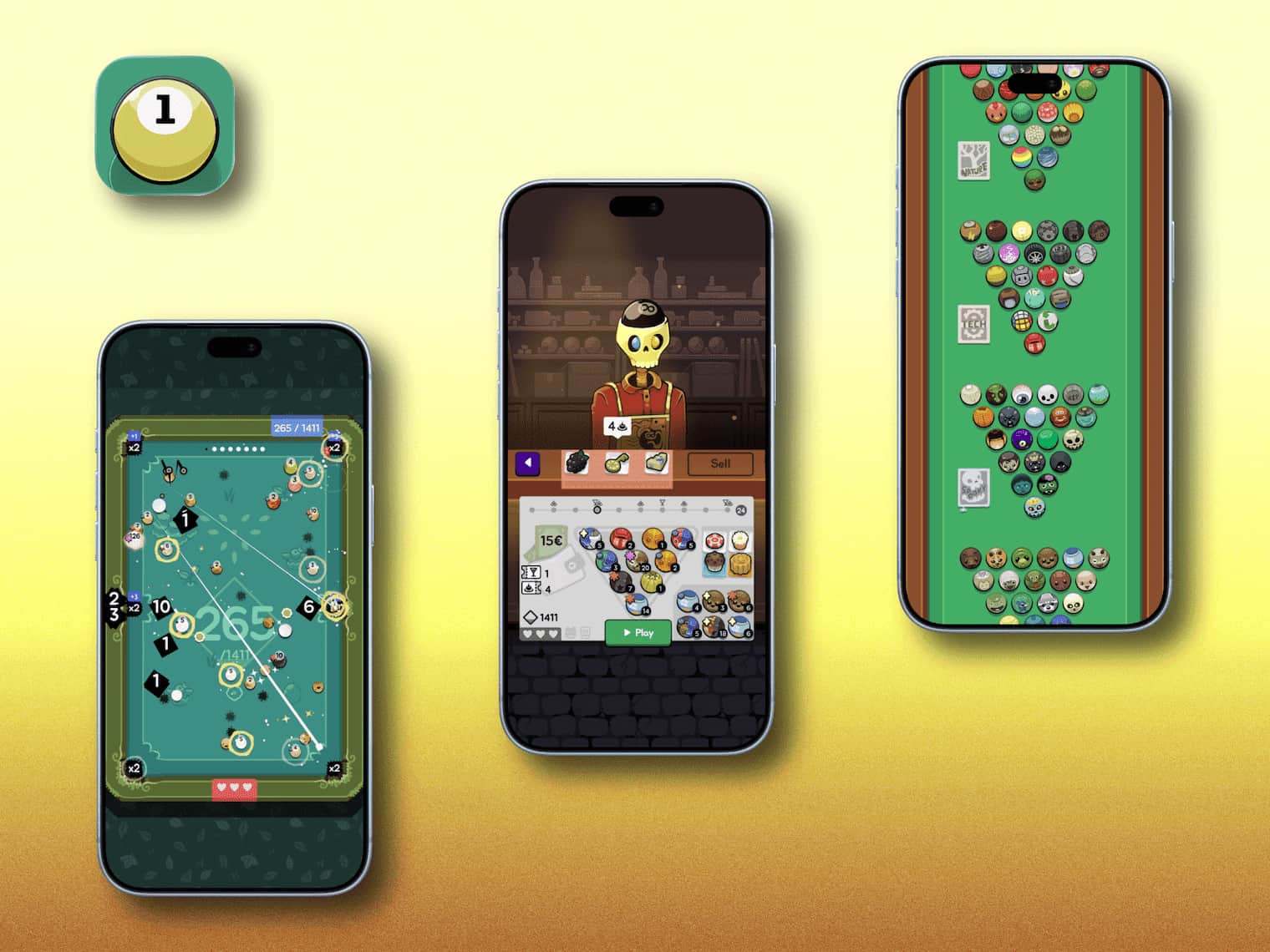
A Balatro-style pool roguelike that burns through your free time At first glance, it’s just a normal mobile pool game. But take one five-minute break with it and you’ll suddenly find yourself ninety minutes later with a dead battery and your task schedule in ruins.
Imagine the legendary Balatro crossed with classic eight-ball. Instead of ordinary rules of physics, you get roguelite mechanics: unique ball modifiers, ridiculous cue synergies, score-multiplier perks, and boss pockets. The game constantly generates combo situations where one successful shot can trigger a chain reaction of explosions and score doubling across half the table. I genuinely recommend Ultrapool to anyone looking for quality indie gaming on a phone. And for exactly the same reason, I deleted it - the time-destruction machine was a little too effective.
Cloudgazer

A beautiful, minimalist gift for frayed nerves. In a world where every second app is trying to squeeze maximum focus out of you, make you close activity rings, or read 500 notifications, Cloudgazer proposes something radically different: do absolutely nothing. It’s a meditative utility - or, more precisely, a relaxing indie sky-watching simulator - built for one thing: staring at clouds. You watch them drift by, your imagination picks out the shape of an animal, object, or creature, you tap that area on the screen, and the game records it as a discovered shape in your collection. There are hundreds of them. No gamification, habit trackers, subscriptions, ads, or levels. The complete opposite of doomscrolling. A perfect way to take a five-minute break in the middle of a brutal workday, breathe, and let your brain reboot.
Dave The Diver
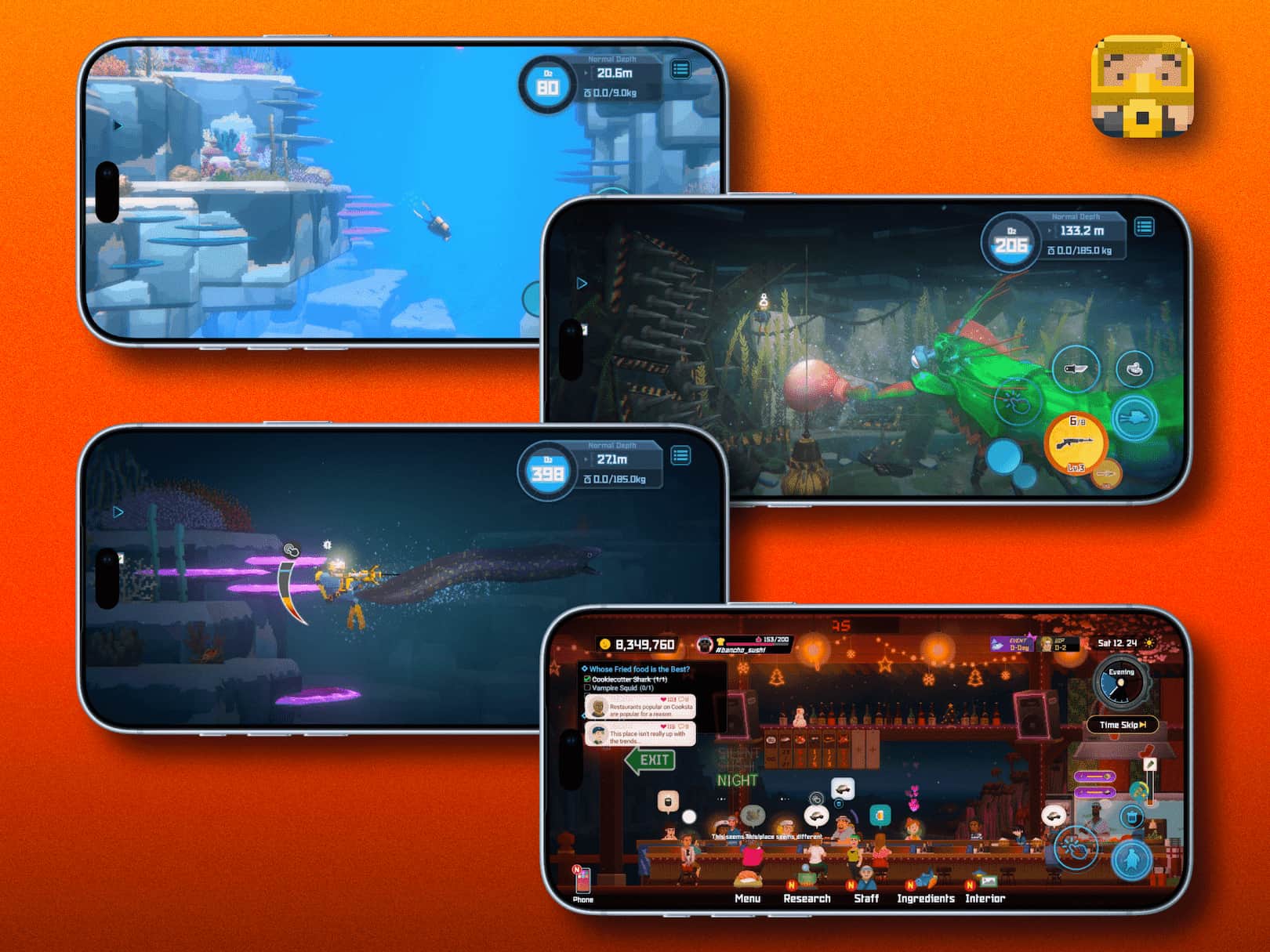
I came across a great thought in some YouTube video: there are games you complete, and there are games you simply play. Dave the Diver is exactly the latter.
At first glance, it’s just some juicy pixel art - but damn, is it detailed and colorful. During the day you dive into the depths with a harpoon and fight sharks; in the evening you run your own sushi bar, build the menu, and hire staff. And that loop is dangerously addictive. On top of that, the developers turned the whole thing into a celebration of geek culture, collaborating with Balatro, Godzilla, Dredge, and even singer mxmtoon. And that’s only a tiny part of what’s waiting beneath the surface.
The game has scored 96% positive reviews on Steam, and this is one of those rare cases where the rating genuinely reflects both the quality of the game and how much love the developers poured into it. I honestly envy anyone who hasn’t played it yet and still gets to dive into this underwater universe for the first time.
[App Store][https://apps.apple.com/us/app/dave-the-diver/id6759962259] | Google Play
Candleman
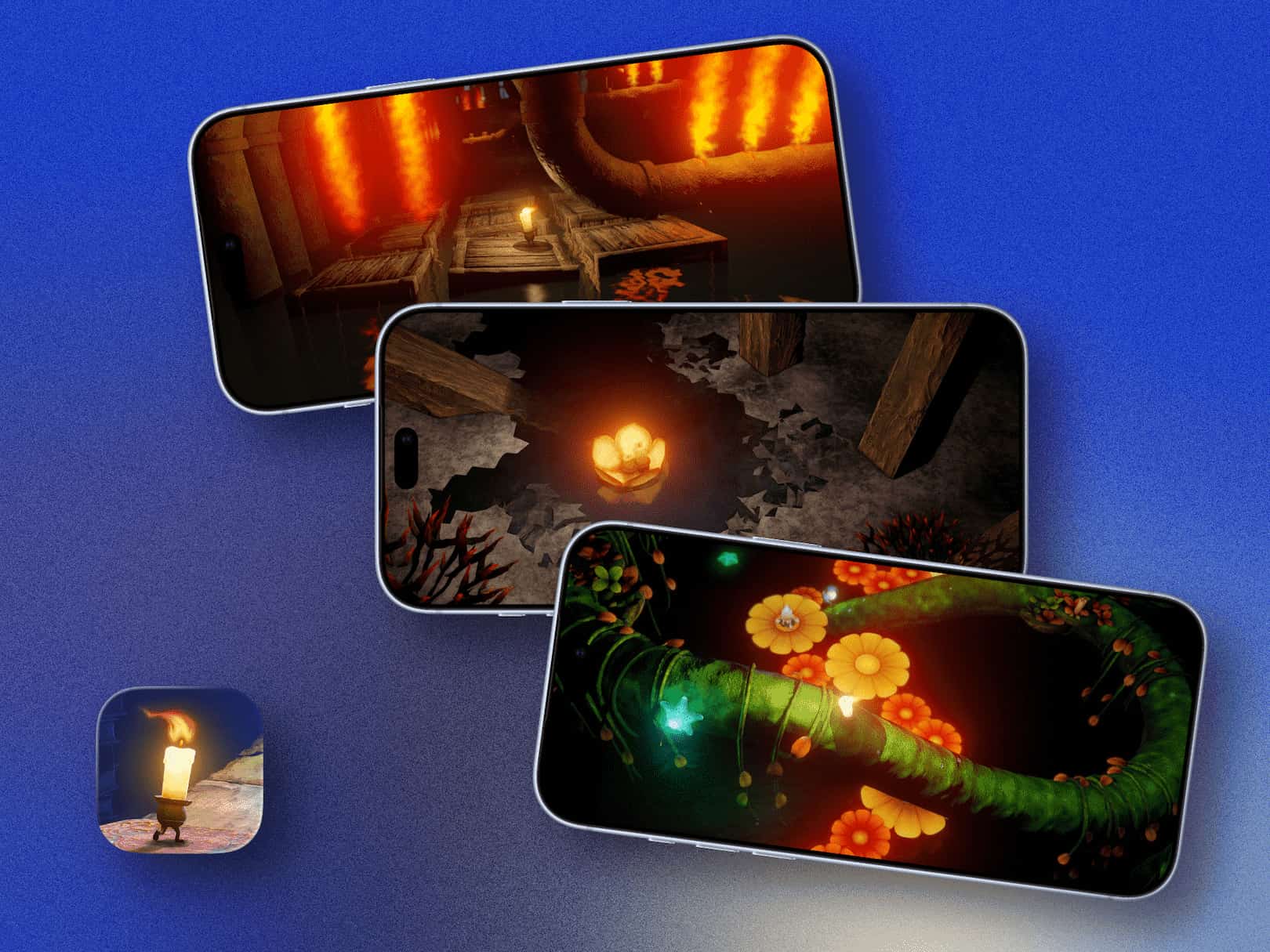
I simply can’t leave this game out. For me, it’s a personal classic and one of the most poetic games ever released on mobile platforms.
Today, tons of games try to hold our attention with flashy visuals and aggressive gamification. Candleman gets under your skin in a completely different way - through atmosphere, its play with light, and a deeply metaphorical story.
You play as a tiny candle that can burn for only 10 seconds at a time. The work with dynamic lighting and physics is incredible. You literally have to learn to conserve every second of your flame so you don’t melt away too soon while feeling your way through the darkness.
A rare example of a mobile game that feels like a complete, fully realized work of art. If you somehow missed it, do yourself a favor and shine a little light on this masterpiece.
Kingdom Rush 6: Genesis
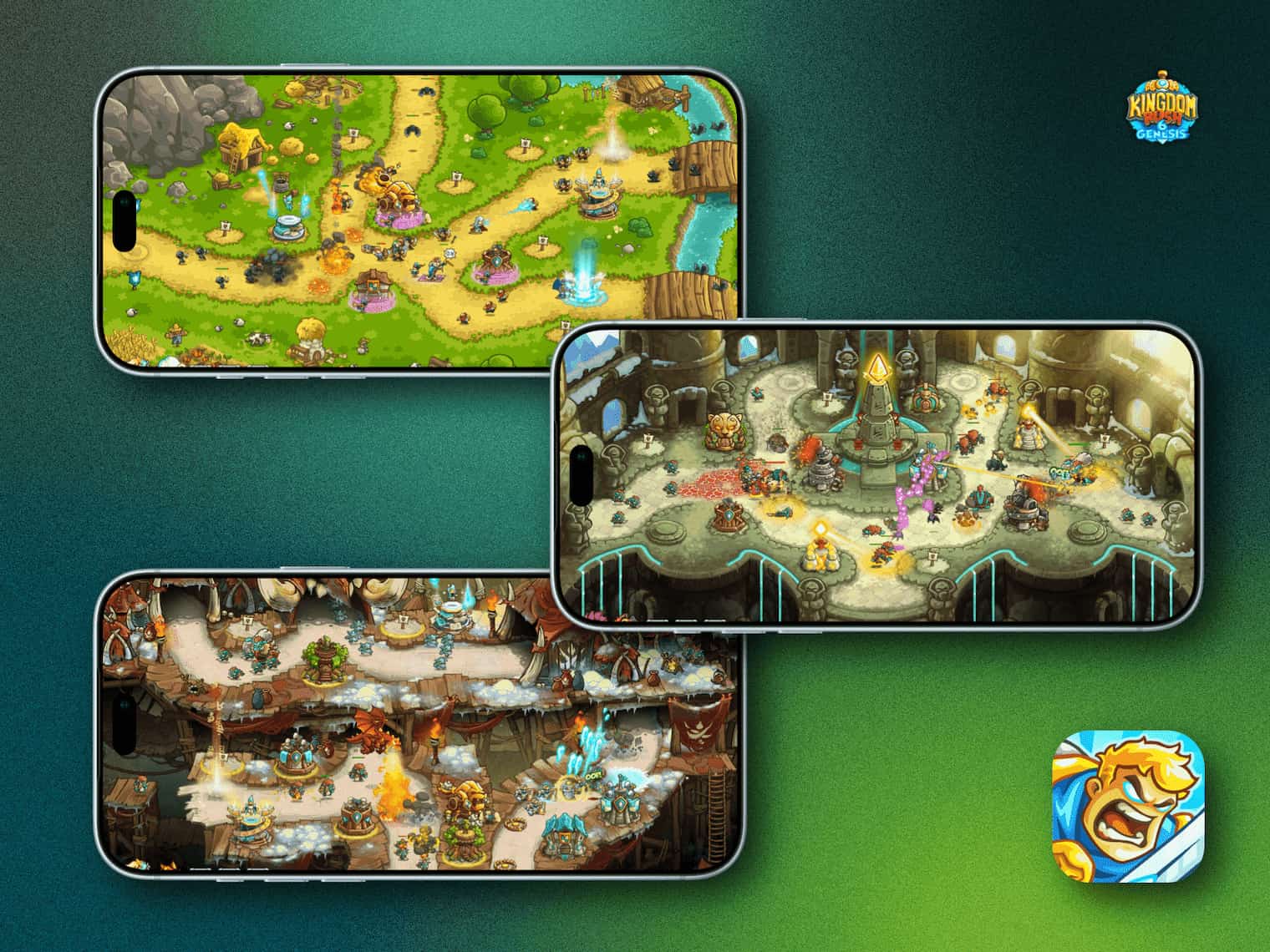
A beloved Tower Defense series for many people - myself included - is back with a new entry, Kingdom Rush 6: Genesis, and it’s exactly the perfect little dopamine hit mobile gaming has been missing. The same cozy comic-book style, juicy animation we love Kingdom Rush for, its signature humor, and tons of pop-culture Easter eggs. For me, it’s an absolute must-have. Not sure what else there is to say.
The House of Tesla
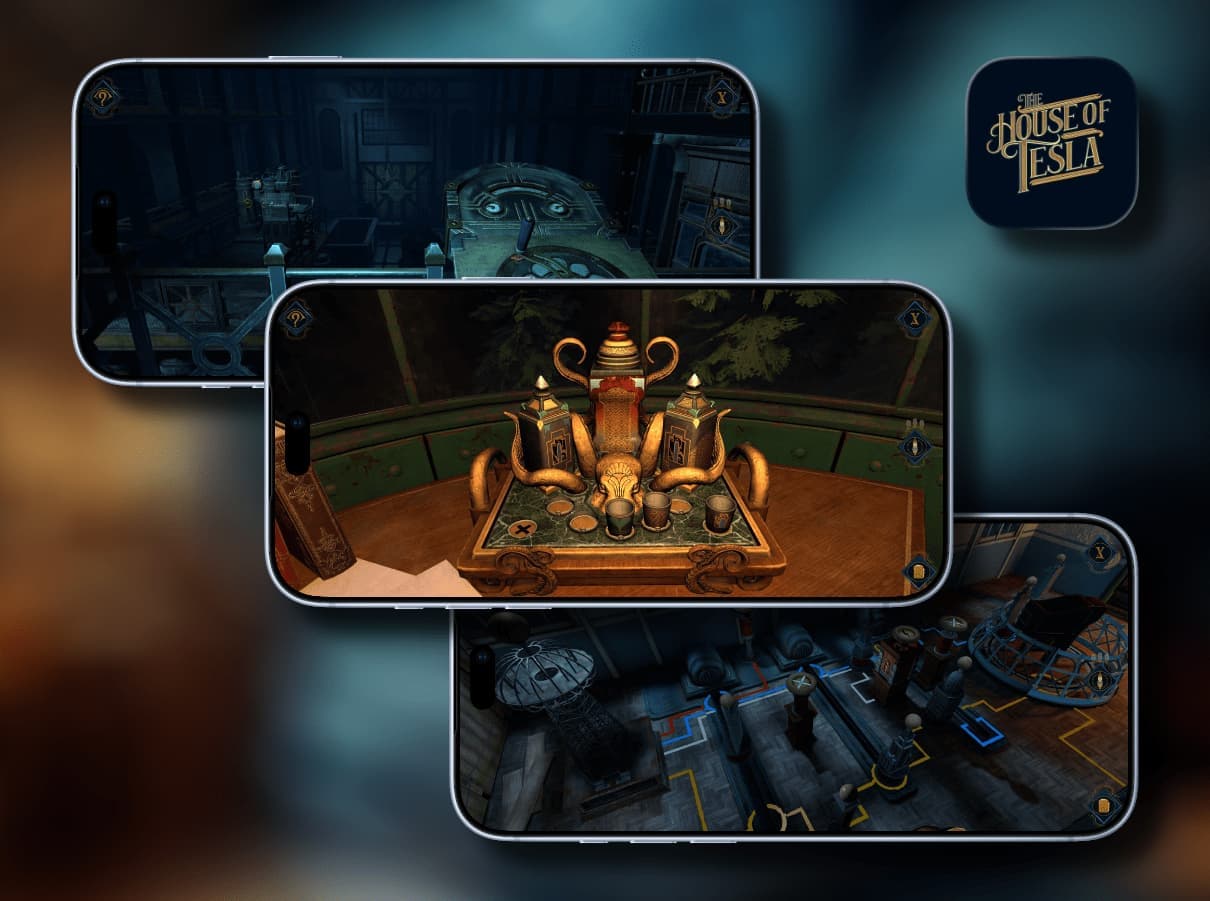
Blue Brain Games, the studio that gave us one of the best 3D puzzle games on mobile, The House of Da Vinci, is back with a major new project - a spiritual successor to the Da Vinci trilogy. This time, we trade the Renaissance for America’s Progressive Era and head into the laboratories of one of the 19th century’s most mysterious geniuses, Nikola Tesla. The game arrives on mobile devices on October 20.
The Android version will arrive on release day, October 20.
Sound Workshop
Idris Elba Threw a DJ House Party
Most people know Idris Elba as an actor from some - admittedly very good - blockbusters. But fans of quality electronic music have long known that he’s also a professional DJ, DJ Big Driis, who has played Coachella and Ibiza clubs and hosted radio shows long before becoming an A-list movie star. Black House Radio recently dropped his atmospheric home set, IDRIS DJs a House Party. He simply poured himself a drink and delivered an incredibly tight hour of deep house, Afro house, and quality groove. And that’s the best part: it isn’t just technically good mixing, but a subtle sense of rhythm and completely genuine enjoyment of every track.
Jungle
Jungle dropped a new album, and this music works perfectly with pretty much any activity - or simply as an instant mood booster. If you haven’t listened yet, I highly recommend giving it a spin.
Geek Corner
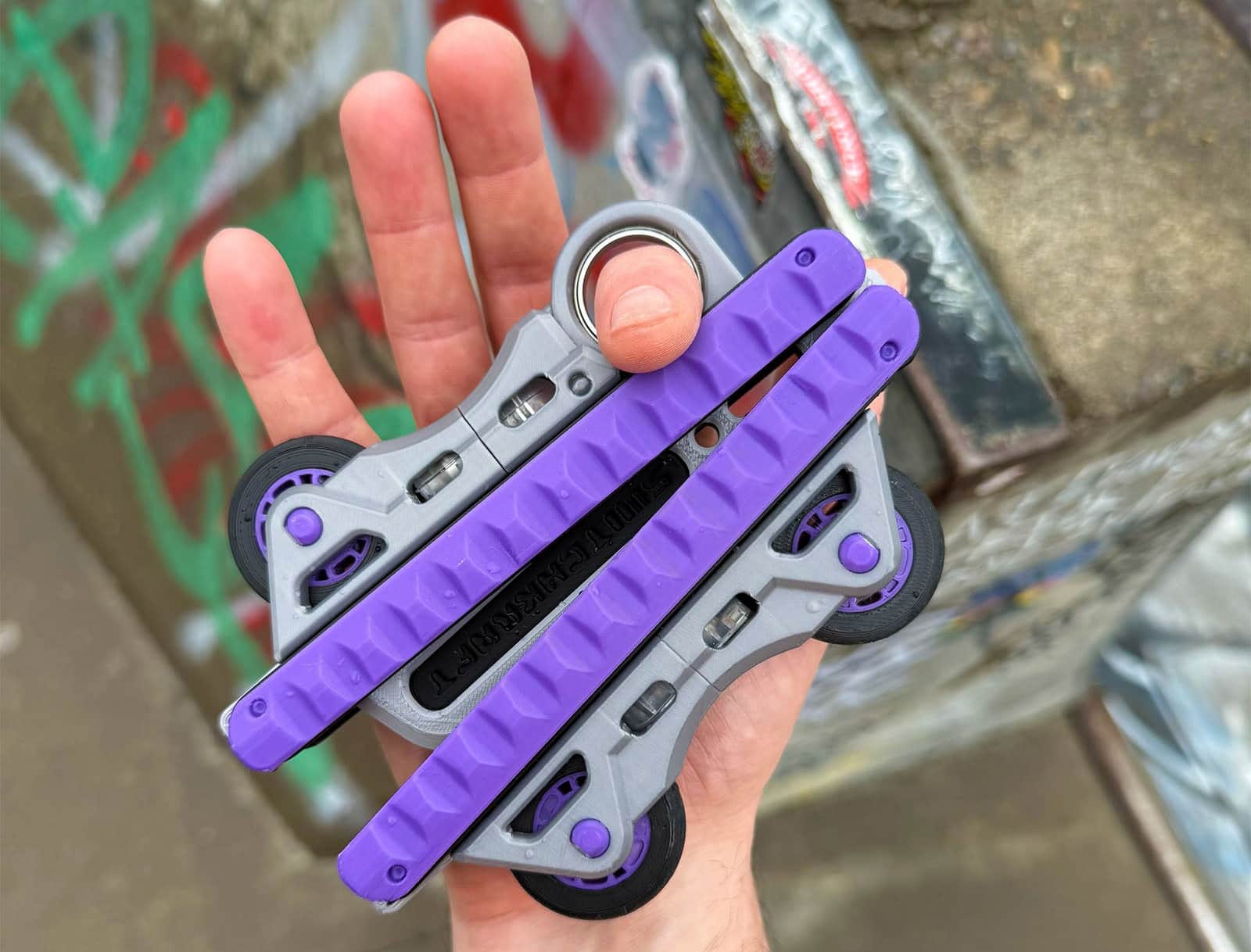
I stumbled across an interesting multitool. I honestly have no idea what I’d need it for, but damn, it looks cool. It’s one of those devices where you stare at it, have absolutely no idea what practical purpose it serves in real life, and still want to buy it purely because it looks so satisfying. Basically, it’s a hybrid of a modular LEGO set, a premium fidget toy, and a tactile multitool. Swappable modules, buttons, switches, and magnets that you can rebuild to match your mood, change colors, click, spin, and use as a skill toy for stress relief or hyperactive focus while working. Pure visual and tactile ASMR. It’s the perfect piece of physical luxury confusion. I don’t really know what I just wrote either, but it sounds good.
Photon Matrix: Personal Air Defense Against Mosquitoes

Lasers, LiDAR, and military futurism right on your desk. If you thought laser air defense belonged exclusively on military testing grounds, well - ta-da - meet the Photon Matrix Laser Mosquito Air Defense. Apparently, some engineer got sick of that nighttime buzzing next to their ear and decided to bring Star Wars straight into the bedroom. The device uses a combination of cameras, sensors, and computer-vision algorithms to locate an insect in mid-air within fractions of a second. Once the target is locked, a short, focused laser pulse takes the mosquito down on approach. The little box looks like someone ripped it straight off a mech from Cyberpunk 2077 or Death Stranding. And the coolest part: the display actually shows your frag stats and the current sector-scanning status. And of course, the biggest question with devices like this is what happens to human and pet eyes. The developers claim it uses intelligent trajectory tracking and won’t fire if a larger object enters the firing sector. An absolutely insane, ridiculously expensive gadget for anyone who wants to shoot down mosquitoes with the maximum possible level of cyberpunk drama. But that price...
Flying Motorcycle
The dream of riding a speeder bike like the one Luke Skywalker tore through the forests of Endor on has been trying to become reality for the past thirty years. The startup Volonaut is here to finally scratch that childhood itch - their Airbike is a straight-up attempt to get bikers off the asphalt and into the air.
The coolest part is that these aren’t just fancy 3D renders made for investors anymore. Volonaut has already carried out a series of real test flights in California and even opened pre-orders. The prototype can hit speeds of up to 200 km/h, while the commercial version will be toned down to a more reasonable 102 km/h - presumably so pilots don’t launch themselves into the stratosphere on their first turn. Real jet turbines. It sounds and looks insanely cool, but it burns through fuel so fast that flight time is limited to just 10 minutes. And the price? A mere $880,000. The first commercial deliveries are expected toward the end of 2026. The perfect gadget for anyone who’s sick of sitting in traffic, happens to have a spare million dollars lying around, and desperately needs to fly to the store down the street in eight minutes before running out of fuel.
But hey, at least you can make one hell of an entrance 🤌
Instead of a Conclusion
Originally, I wanted to call this issue something neat and neutral: “The World Has Shifted.” But then I looked at everything I was about to write about and realized that title was way too bland and boring, because the world has, in fact, gone fucking nuts. At that point, the angry designer in my head woke up and decided to make it a little harsher. So “shifted” became “shi**ed” - somewhere between shifted and shit. Basically, however you read the title is how you read it. The meaning didn’t really change anyway.
I completely understand the “less, but more often” formula, of course, and I’ll try to learn from this and not disappear for such gigantic stretches again. Let’s loosely call this the start of the blog’s second season. I don’t usually like inventing these artificial milestones, but this time, let it be so.
And I suppose there’s one more thing I haven’t mentioned - something that has been consuming quite a lot of my resources lately. It’s still too early to share details or make announcements, so I’ll only say that the project is currently in alpha (though no longer deep alpha). As soon as it grows into beta, I’ll share it with you right away. But for now 🤫
To be fair, lately I often only have enough energy for the basic life cycle: home ➔ family ➔ work. But, like I said at the very beginning, I’m still flooring it no matter how rough the road gets. Right now I’m genuinely trying to work hard, even if from the outside it sometimes looks like I’m just standing still. But that’s how real life works: you move forward piece by piece, tiny grain by tiny grain. And only when you look back through time do you finally realize how enormous the distance you’ve actually covered is. Thanks for being here. See you!