Stuff: The things that change us
A little backstory.
I intentionally held off on this review until after a major update. Now that it’s here, fixing bugs and introducing a ton of new features, I’m ready to talk.
Why not my beloved Things? I simply decided to test something I wanted to try last year and challenge myself to see if I could live without Things.
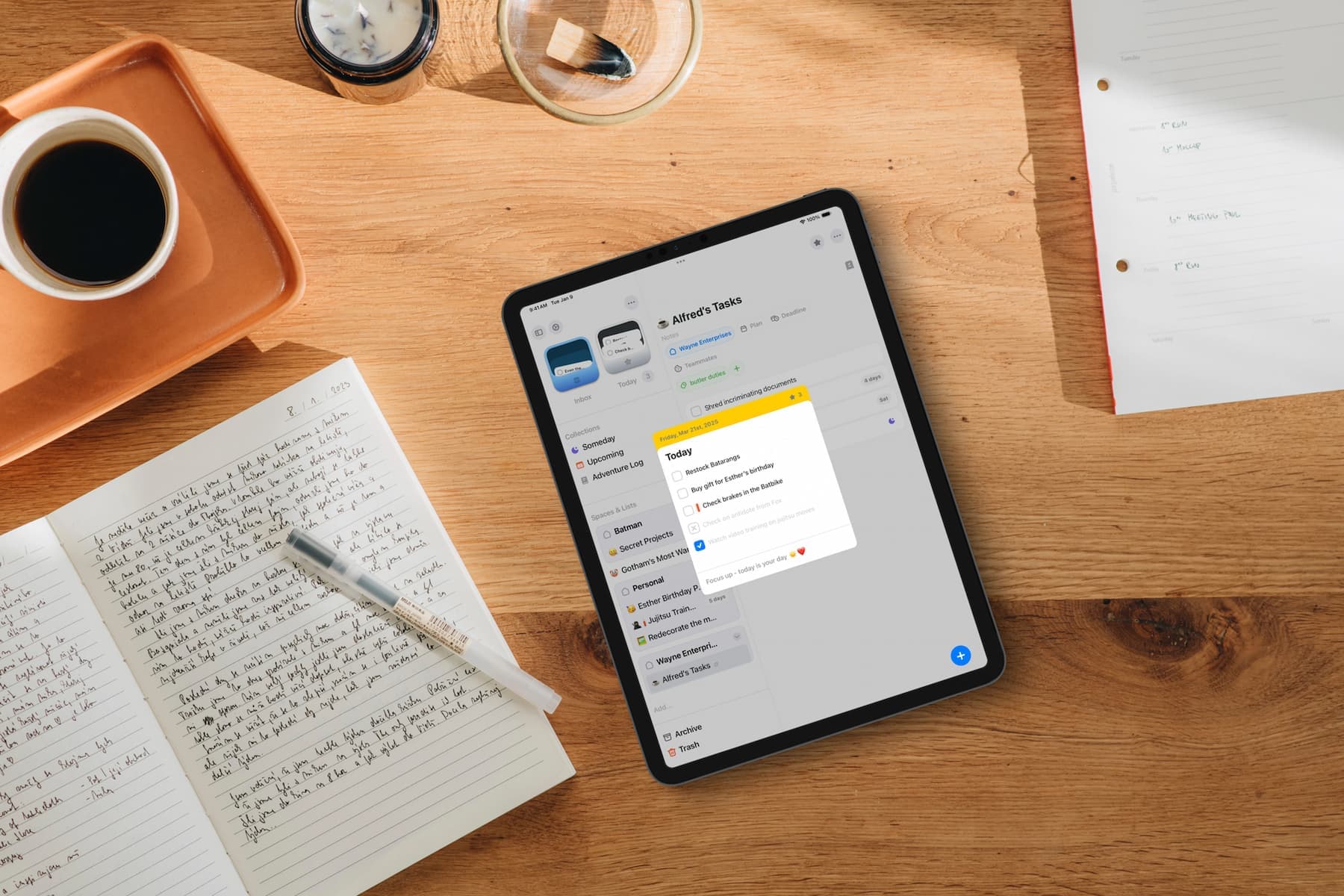
The app is called Stuff. It’s a project by one guy named Austin, a former developer for Apple’s Retail Apps division, where he built and maintained software for the Apple Store. That background-minimalism, reliability, and a focus on action-has clearly carried over into Stuff.
I first tried this app a year ago and… deleted it. Unexplainable, but true. However, at the end of last year, it popped up in a curation list again. It was immediately obvious that the developer had shifted the development vector: they moved away from the heavy resemblance to Things 3 and added unique features, and the app has truly transformed.
Today, Stuff feels like a "task desktop." The Today and Inbox folders here act like trays where your ideas land. Yes, the Things vibes are still there, but only at first glance.
Features you'll fall in love with
Stuff wins you over with details I’ve desperately missed in Things for years:
- Dependencies. This is genius. Tasks are linked in a chain: the next step stays hidden until the current one is completed. The list never looks cluttered.
- My recent case. Planning a trip. The "Pack documents" task depends on "Print them." Until they’re printed, "Pack" doesn't hang there like dead weight. It’s like a gumball machine: you take one, and the next one drops down.
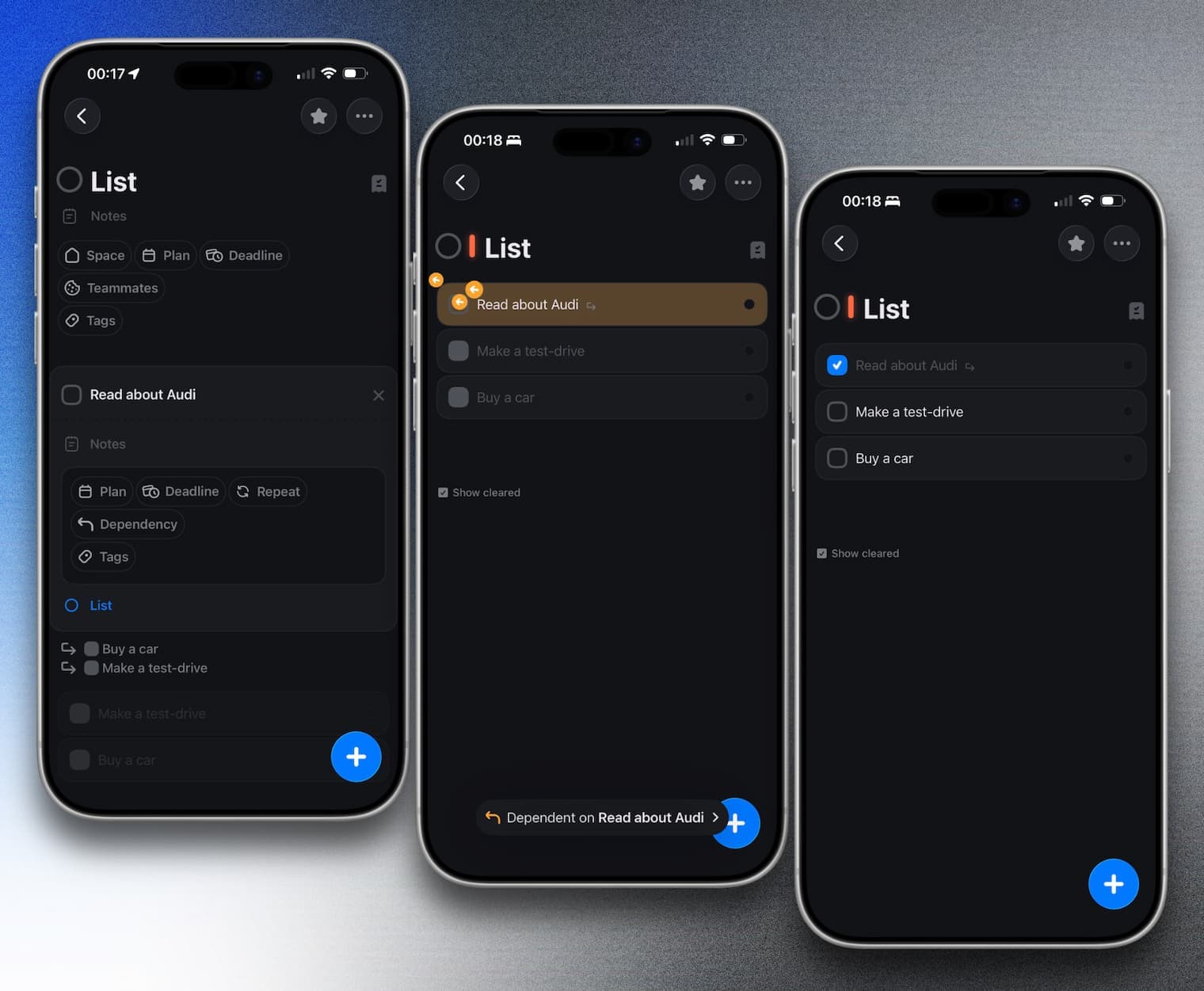
- Teammates. Something we never got in Things 3 (and probably never will). Full-fledged collaboration with family or friends directly inside lists.
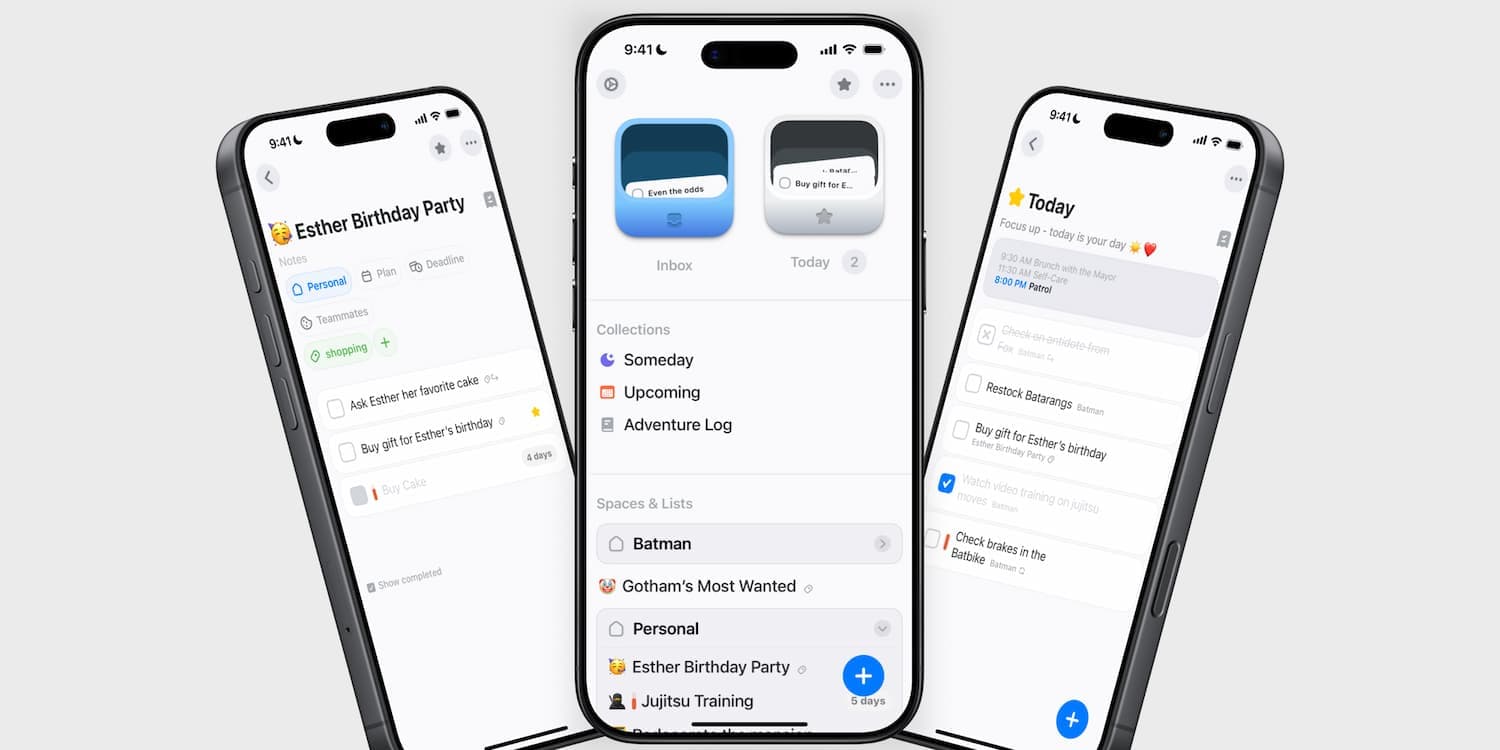
- Today Card. The "Today" card is always at hand, even if you’re browsing other lists-just click the star icon. It doesn't just hold tasks, but also a Daily Note, a space to jot down a quick note for the day. In my last article, I wrote about tracking my main goal for the day in a journal; this is a much more convenient place for it.
- Adventure Log. Not just an archive, but a journal with filters by tags, spaces, and years. Perfect for retrospection and analyzing your progress.
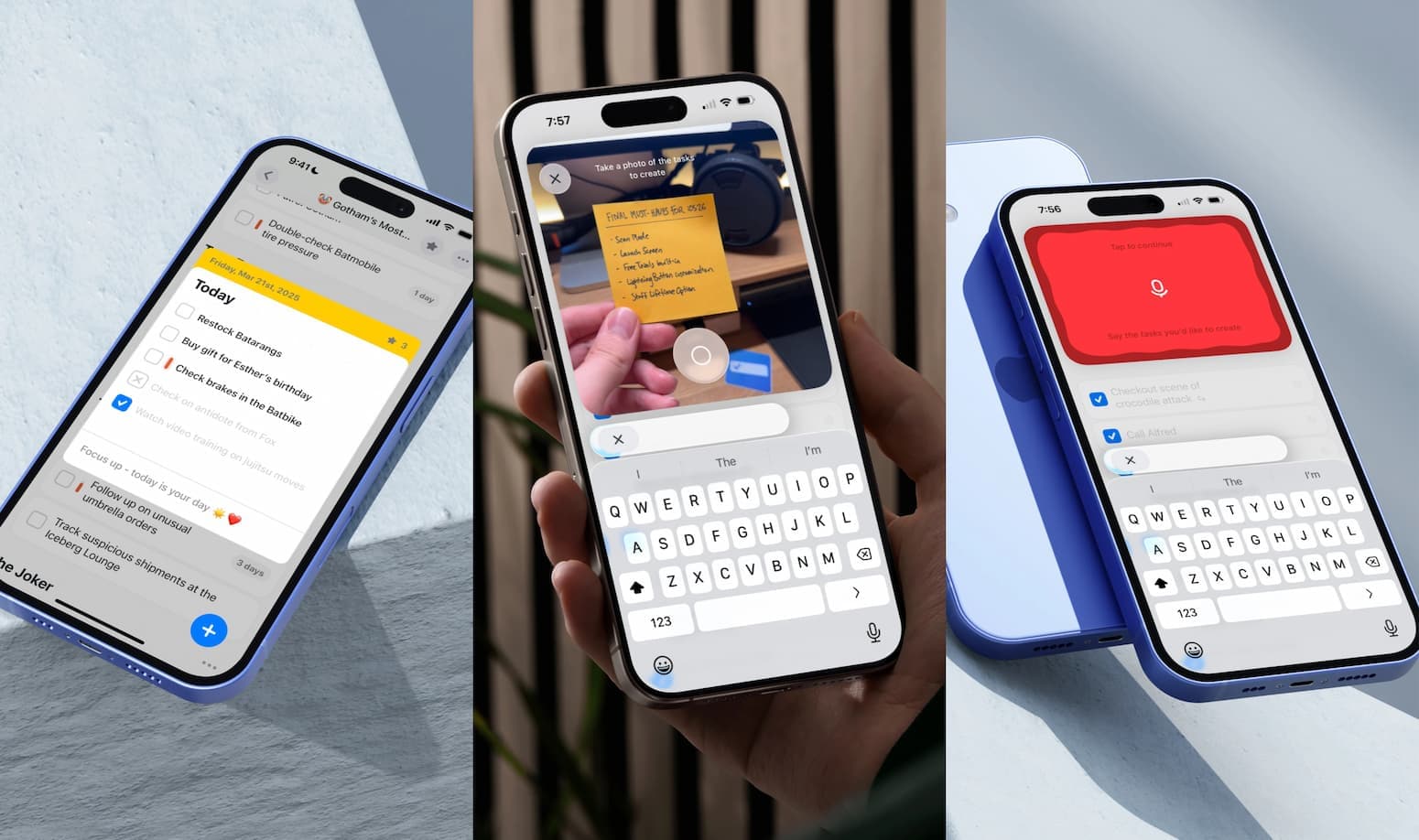
- Apple Intelligence (Listen Mode & Camera Mode). Dictation and camera modes. You can simply dump your stream of consciousness via voice or photograph a paper list, and the AI will automatically break it into clear tasks.
- Hole Punch. A small dot that changes its icon depending on the attachment (phone, compass, YouTube player, email envelope, note, location). As we know, UX is built on the little things.
But there are nuances
It’s not all sunshine, and for many, these might be barriers:
- Price. Yes, there is an Extra Stuff subscription ($29.99/year), but there is also a Lifetime option ($119.99). It might seem pricey, but don't drop off yet-keep reading, there’s a nice bonus at the end.
- No Mac version. It will be released on May 4 of this year.
- Lack of subtasks and "remind me tonight" features. I’m very used to GTD, and I find these vital (though they are promised in a future update).
- Language barrier. Currently English only. If you mix languages during dictation (like I do in my multilingual environment), the AI might get confused and output gibberish based on its English context. But if you type "tomorrow" or "day after tomorrow," the task is automatically scheduled for that date.
The app is actively developing, so minor bugs are possible (though, to its credit, they are fixed very quickly).
By the way, the developer has a cool video diary on YouTube where he regularly discusses interesting development details, demonstrates how features work, and shares roadmaps. That human touch makes you feel like you’re on a first-name basis with the creator.
Verdict: Is it just about the utility?
Again, one could say it’s not about the tool, but the approach. But every coin has two sides.
Sometimes a tool can inspire and motivate you to plan and execute. Perhaps the modern user is spoiled. After all, a task can be checked off in any app, no matter how it looks.
But no-we don't just want utility. We want it to look beautiful, have smooth animations, and maybe even sound effects. And yes, that is very tempting; when you wrap good functionality in a beautiful package, the choice becomes obvious.
Stuff isn't just about the grey monotony of completing tasks; it’s about completing tasks with aesthetic pleasure and pleasant planning.
The "for later" philosophy
We all live at a frantic pace, and many of us are used to regularly putting our lives on hold for "tomorrow."
We stockpile articles in Safari, save videos to watch later, buy clothes "for when I lose weight," or download books we’ll "read eventually." We buy apps that are still "raw" because they might get better later, and we want to support the developer early on.
A few months pass, and the open tabs in Safari are no longer relevant; the videos are no longer interesting. Half a year goes by, the book is lost in the depths of our files. A year later, the clothes still don't fit. And sometimes, the developer decides you’re a "cash cow," adds a mandatory subscription to an app you already paid for, and doesn't care that you helped them get started.
My point is that in our fleeting world, things change fast. We need to live in the moment, slow down, and plan properly to achieve what really matters.
Even great apps are just tools that help us focus.
You can buy every GTD course out there and never use them. You can surround yourself with complex methodologies, but if the system isn't integrated into your real life, it’s useless.
Of course, any to-do list can help you pause and live in the moment because, I repeat, it’s about the habit, not the software. But if a tool brings aesthetic pleasure, use it, catch that wave. That’s what helps you get into the flow. That’s how it was with Things, and I have similar feelings with Stuff.
The app won't do the work for you. But you actually want to open Stuff in the morning to check your plan; it’s pleasant to mark tasks as done throughout the day, and satisfying to wrap up in the evening. Aesthetic pleasure turns a routine into a ritual.
A nice bonus
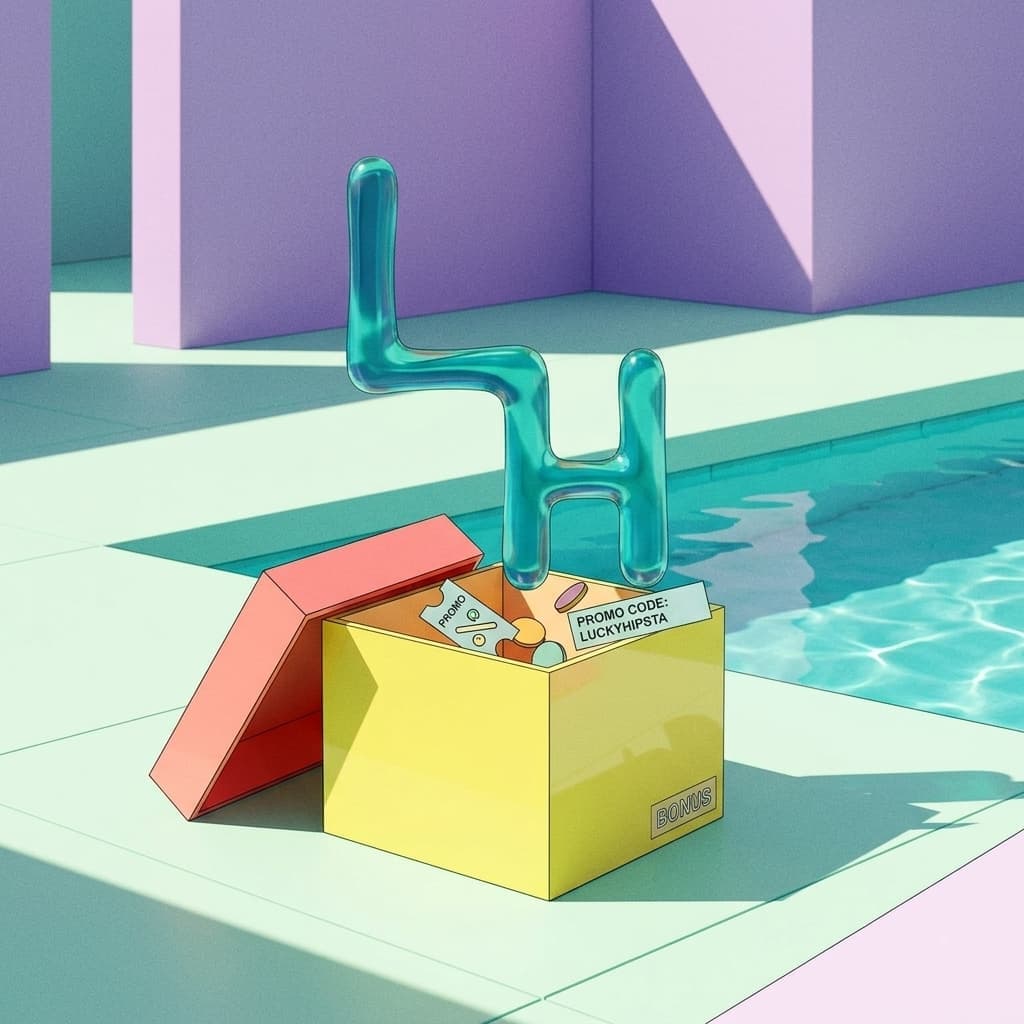
Exclusively for you, there is an opportunity to get the first year at 50% off using the promo code:
luckyhipsta
To redeem it:
Settings → Extra Stuff → Redeem Code → enter luckyhipsta
P.S. Is it worth switching from Things or Reminders?
Deciding whether to change your habitual task manager (be it Things, Reminders, or any other) is up to you. If your system works 100%, don’t break it. But if you’re looking for something alive, evolving, and visually engaging, give Stuff a try. Who knows, perhaps this tool will be the key to your new productivity. After all, sometimes random "stuff" leads us to the most important points in our lives.
Gentler Stories: Balancing 'Want' and 'Can'
Hipsta Espresso #3: Quack